

Creating videos with AI can be an exhilarating experience, offering endless creative possibilities. However, when audio issues arise, they can quickly become frustrating roadblocks. This article will guide you through effective methods for troubleshooting audio problems in AI-generated videos, ensuring your content maintains its professional quality.
Audio issues in AI videos often stem from a variety of sources, including software glitches, poor input quality, and incorrect export settings. By understanding the root causes and how to address them, you can enhance your video's overall effectiveness and viewer engagement. Let's dive into the most common audio challenges and how to tackle them.
Identifying Common Audio Issues
Before you can fix audio problems, you need to identify them correctly. Common issues include distorted sound, missing audio tracks, and asynchronous audio and video. Each of these problems can degrade the quality of your content and frustrate viewers.
Distorted audio might sound muffled or clipped and often results from incorrect recording levels or compression artifacts. Missing audio tracks can occur if the audio file is not properly linked or exported with the video. Asynchronous audio and video can happen due to mismatched frame rates or processing delays.
By being able to recognize these issues, you can more effectively pinpoint solutions. Utilizing tools like audio spectrum analyzers or waveform viewers can help you visualize these problems and understand their severity.
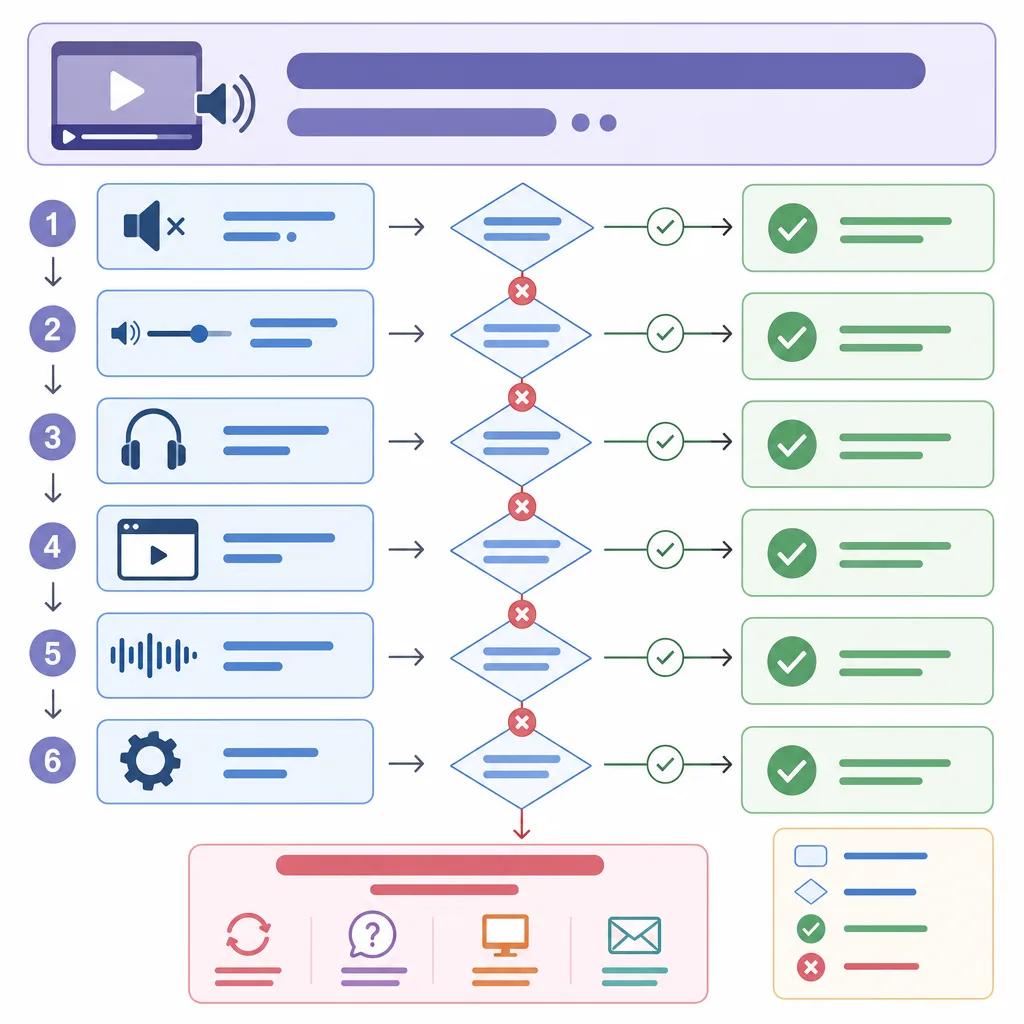
Using AI Tools for Audio Repair
AI technologies offer powerful solutions for audio repair. With advanced algorithms, AI tools can detect and correct many common audio issues automatically. For instance, AI can be used to reduce background noise, enhance voice clarity, and even restore damaged audio files.
Platforms like Vexub provide integrated audio repair features that make it easy to fix issues within your video projects. These tools often include noise reduction, automatic equalization, and volume normalization to ensure consistent audio quality.
Additionally, AI tools can assist in synchronizing audio with video. By analyzing the content's waveform and video frames, they can align tracks with greater precision than manual editing.
Manual Techniques for Audio Troubleshooting
While AI tools are extremely helpful, there might be cases where manual intervention is necessary. Understanding basic audio editing techniques can empower you to make precise adjustments when needed.
Adjusting Audio Levels
One fundamental skill is adjusting audio levels to prevent distortion and maintain clarity. Use your editing software's level meters to monitor and adjust the audio track so that it peaks just below 0 dB to avoid clipping.
Syncing Audio and Video
For synchronizing audio and video manually, look for visual cues in your video that match audio spikes, such as a clap or a door closing. These can serve as reference points for aligning your audio track accurately.
By combining these manual techniques with AI-enhanced tools, you can achieve professional audio quality in your AI videos.
Create videos like this with AI
Script, voiceover, images and subtitles — automated in minutes.
Exporting Videos with Optimal Audio Settings
Export settings play a crucial role in maintaining audio quality. Incorrect settings can lead to audio degradation, where even well-edited tracks sound poor in the final output.
Ensure that your export settings match the original audio file specifications. Use the same sample rate and bit depth to prevent quality loss. Most editing platforms, including Vexub, allow you to customize these settings to fit your needs.
Choosing the right audio codec is also essential. Formats like AAC or WAV are commonly recommended for preserving quality and compatibility across different devices.
Preventing Future Audio Problems
Proactively preventing audio issues is just as important as troubleshooting them. By establishing a robust workflow, you can minimize the occurrence of these problems in future projects.
Recording Techniques
Start with high-quality recordings. Use good microphones and recording equipment to capture clean audio. Consider the acoustics of your recording environment to reduce background noise.
Regular Maintenance
Regularly update your video and audio editing software to benefit from the latest features and bug fixes. Keeping your tools up-to-date helps prevent compatibility issues and ensures smoother editing processes.
By following these preventative steps, you can focus more on creativity and less on technical challenges.
Leveraging Vexub for Seamless Audio Management
Vexub offers a comprehensive platform for creating and editing AI videos, making it easier to manage audio seamlessly. With its intuitive interface and robust features, Vexub supports creators in producing high-quality content without the hassle of common audio issues.
Explore Vexub’s capabilities to streamline your workflow, whether you're working on link('creating professional ads with AI', '/blog/creating-professional-ads-ai-videos') or link('improving engagement in corporate videos', '/blog/improving-engagement-in-corporate-videos'). By leveraging these tools, you can enhance your video's impact and effectively communicate your message.
For more tips on creating engaging content, check out our guide on link('creating engaging cooking videos with AI', '/blog/creating-engaging-cooking-videos-ai'). Vexub’s solutions ensure that your video projects are not just seen but heard clearly and compellingly.







