

Creating videos using AI tools offers unprecedented possibilities, but it's not without its challenges. One common concern is achieving the desired video quality. Poor resolution, flickering, and unexpected artifacts can detract from the viewer's experience and undermine your content's impact.
If you've faced video quality issues in your AI-generated content, you're not alone. These problems can arise due to various factors, from incorrect settings to limitations in the AI models themselves. In this guide, we'll explore practical troubleshooting steps to enhance your AI videos and ensure they meet your quality standards.
Why AI Videos May Have Quality Issues
AI-generated videos can suffer from quality problems due to several reasons. Understanding these can help you address them more effectively.
Insufficient processing power: AI requires significant computational resources. Lack of adequate power can result in low-quality output.
Incorrect input settings: Using improper settings or low-quality input data often leads to poor video results.
Limitations of AI models: Some AI models may not yet be optimized for high-resolution output, leading to subpar video quality.
Addressing these issues begins with understanding the root causes. For instance, ensuring your hardware and software are up to date can dramatically improve output quality. Additionally, selecting the right AI tool is crucial. Platforms like Vexub are continually improving their algorithms to enhance video quality.
Optimizing AI Settings for Better Video Quality
Tuning your settings is a straightforward yet effective way to improve video quality. Here are some strategies you can employ:
Resolution settings: Always choose the highest resolution available within your AI tool. This ensures the best possible image clarity.
Frame rate adjustments: Higher frame rates can result in smoother videos. Adjust your settings based on the intended viewing platform.
Input quality: Use high-quality input images and videos, as AI tools work best with clear and detailed source material.
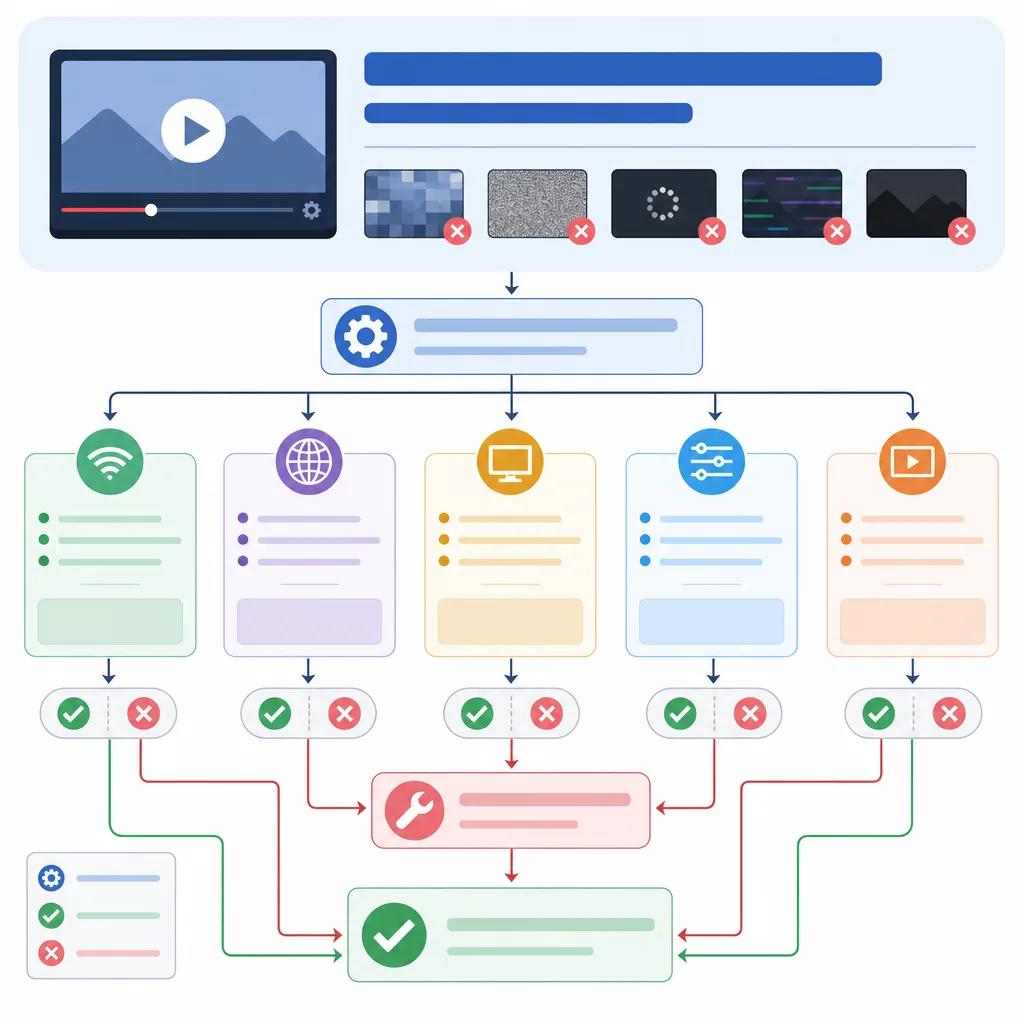
By refining these settings, you can significantly reduce common issues such as blurriness and pixelation. Many AI platforms, including Vexub, offer detailed guides on how to adjust these settings for optimal results.
Enhancing Video Resolution with AI Tools
Improving video resolution is a common goal for many creators. AI tools offer several methods to enhance resolution, making them invaluable for content creators.
Upscaling Videos
AI upscaling tools can enhance the resolution of your videos, making them appear sharper and more detailed. These tools analyze existing video frames and create new ones, filling in gaps and improving clarity. Using Vexub's advanced algorithms, you can achieve higher resolution even from lower-quality inputs.
Reducing Noise and Artifacts
Noise and artifacts are common issues in AI-generated videos. AI denoising tools can identify and remove these imperfections, resulting in a cleaner, more professional look. Adjusting the denoising settings in your AI tool can help you find the right balance between detail and smoothness.
Create videos like this with AI
Script, voiceover, images and subtitles — automated in minutes.
Common AI Video Quality Issues and Their Fixes
Despite your best efforts, you might still encounter some persistent quality issues. Here’s how you can address them:
Blurry videos: Ensure your input is high resolution and check your focus settings within the AI tool.
Flickering: This can be caused by inconsistent lighting or incorrect frame rates. Stabilize your lighting setup and experiment with different frame rates.
Color inconsistencies: Adjust the color correction settings to achieve a consistent and accurate color palette throughout your video.
For more detailed troubleshooting, consider exploring our guide on ", troubleshooting AI video playback, ".
Choosing the Right AI Video Platform
Selecting the right platform is critical to your video quality. Not all AI tools offer the same capabilities, and the choice can impact your project's success.
Comprehensive features: Platforms like Vexub provide a full suite of tools for video editing, enhancement, and production.
Regular updates: Choose platforms that regularly update their algorithms to incorporate the latest advancements in AI technology.
Community support: A strong user community can provide valuable insights and solutions to common issues.

For more on selecting a platform, read about the ", best AI video platforms for educational content, ".
Future of AI in Video Production
The future of AI in video production looks promising with continuous advancements. As AI tools become more sophisticated, they will likely resolve many existing quality issues. Staying updated with the latest trends and technologies is crucial for any video creator.
Platforms like Vexub are at the forefront of these innovations, providing creators with powerful tools to produce high-quality content. By leveraging these advances, you can ensure that your videos not only meet but exceed viewer expectations.
For further reading, check out our article on ", AI video techniques for storytelling, " to enhance your content creation strategies.







