
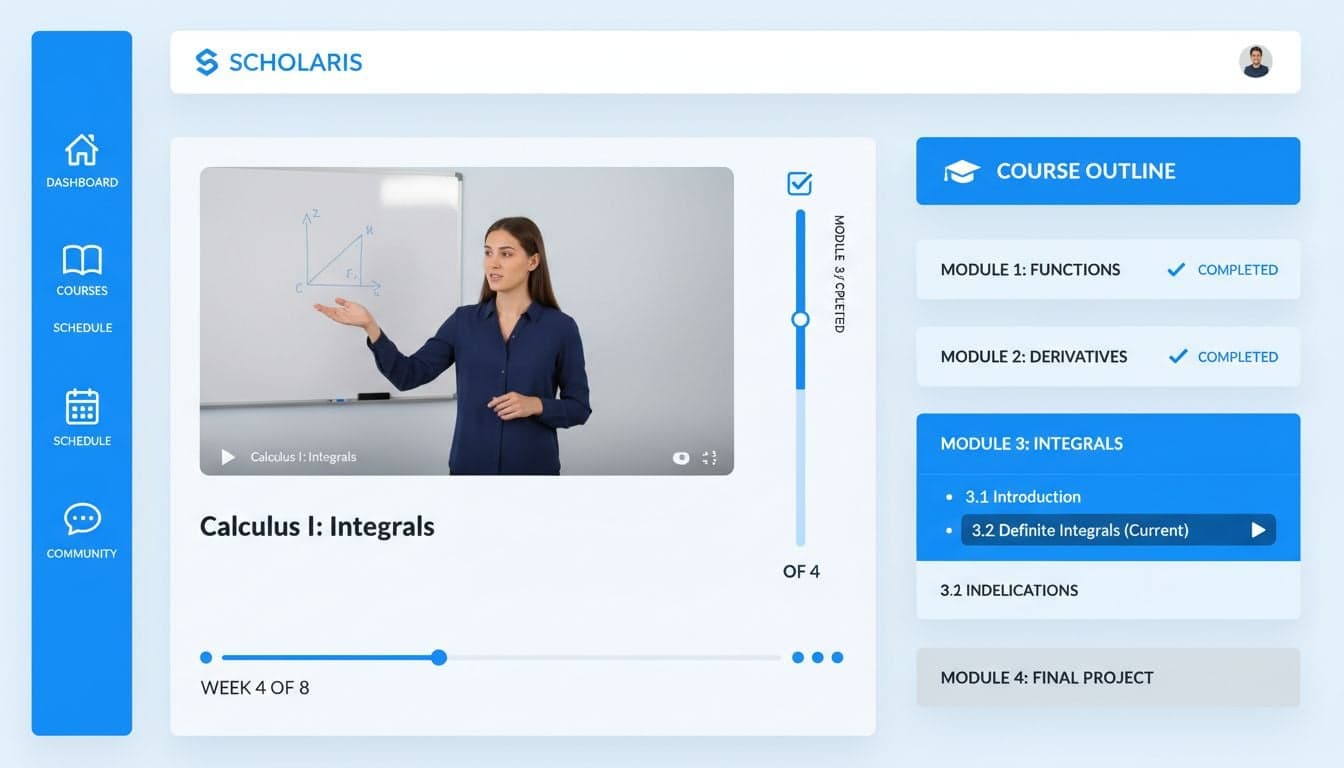
The e-learning industry generates over $400 billion annually, yet course creators spend an average of 60-80 hours producing video content for a single course. AI video tools eliminate this bottleneck, enabling educators and businesses to produce professional online course videos in a fraction of the time while maintaining instructional quality.
Traditional video production for e-learning courses requires expensive equipment, technical skills, and countless hours of editing. AI-powered platforms like Vexub transform this process by automating script-to-video conversion, generating professional visuals, and synchronizing voiceovers—all without filming a single frame.
This guide shows you exactly how to leverage AI video creation for e-learning courses, from planning your curriculum to publishing polished lessons that engage students and drive completion rates.
Why AI Video Tools Transform E-Learning Course Creation
The shift to AI-powered video production addresses the primary obstacles that prevent subject matter experts from creating online courses: time constraints, technical complexity, and production costs.
Production speed: Create a 10-module video course in days instead of months. AI tools generate lesson videos from scripts in minutes, eliminating filming and complex editing workflows.
Cost efficiency: Eliminate expenses for cameras, microphones, lighting equipment, and video editing software. A single AI platform subscription replaces thousands in traditional production gear.
Consistency: Maintain uniform visual style, pacing, and quality across all course modules. AI ensures every lesson meets professional standards without variation.
Scalability: Update course content instantly when information changes. Regenerate specific lessons without re-filming entire modules or disrupting your course structure.
Global reach: Generate courses in multiple languages with localized voiceovers and subtitles, expanding your market without hiring translators or voice actors.
Course creators using AI video tools report 75-85% reduction in production time and 90% lower costs compared to traditional video production methods. This efficiency enables faster course launches and higher profit margins.
Planning Your AI-Generated E-Learning Course Structure
Successful online courses follow proven instructional design principles, regardless of production method. AI tools work best when you provide clear structure and well-organized content.
Course Outline Development
Break your subject into logical modules and lessons before creating any videos. Each lesson should focus on a single learning objective that builds toward your overall course goal.
Define learning outcomes: Specify exactly what students will accomplish after completing each module. Clear outcomes guide script writing and ensure focused content.
Create module hierarchy: Organize 5-8 main modules, each containing 3-6 lessons. This structure prevents overwhelm while maintaining comprehensive coverage.
Plan lesson length: Target 5-12 minutes per lesson video. Shorter videos improve completion rates and enable students to learn in focused sessions.
Map progression: Ensure each lesson builds on previous concepts. Logical flow maintains engagement and reinforces learning through connected ideas.
Script Preparation for AI Video Generation
AI video platforms convert scripts into visual lessons most effectively when you write with video format in mind. Structure your scripts for optimal AI interpretation.
Write conversationally: Use direct address and natural language. AI voiceovers sound more engaging when scripts avoid academic jargon and complex sentence structures.
Include visual cues: Specify when concepts need diagrams, charts, or specific imagery. Clear visual directions help AI select appropriate graphics.
Break into segments: Divide scripts into 30-60 second chunks. This creates natural pacing and allows AI to generate varied visuals for each concept.
Add emphasis markers: Highlight key terms and important points. AI platforms can emphasize these elements visually and vocally for better retention.
Professional educational video creators spend significant time on script quality because it directly determines final video effectiveness. Invest effort here to maximize AI tool results.
Creating Course Videos with Vexub AI Platform
Vexub streamlines e-learning video production through an integrated workflow that handles script conversion, visual generation, voiceover synthesis, and final rendering in a single platform.
Setting Up Your Course Project
Start each course module as a separate Vexub project. This organization enables individual lesson updates and maintains clean file management as your course library grows.
Paste your lesson script into Vexub's text editor. The platform automatically segments content into scenes based on topic transitions and natural breaks.
Select an AI voice that matches your course tone. Educational content performs best with clear, authoritative voices that maintain student attention without sounding overly formal.
Choose a visual style appropriate for your subject matter. Business courses benefit from professional corporate aesthetics, while creative subjects work well with dynamic, colorful styles.
Configure subtitle settings for accessibility and engagement. Enable auto-captions with your preferred styling to accommodate different learning preferences.
Create videos like this with AI
Script, voiceover, images and subtitles — automated in minutes.
Optimizing AI-Generated Visuals for Learning
AI platforms generate visuals based on script content, but you control visual effectiveness through strategic adjustments. Fine-tune generated content to maximize educational impact.
Review scene relevance: Ensure each visual directly supports the concept being explained. Replace generic imagery with specific illustrations when available.
Add text overlays: Reinforce key terms and statistics with on-screen text. Visual reinforcement improves retention by 65% compared to audio alone.
Incorporate diagrams: Upload custom charts, graphs, or process diagrams for complex concepts. AI-generated visuals work best for general content, while custom graphics excel at technical explanations.
Maintain visual consistency: Use the same color scheme and styling across all course lessons. Consistency builds professional credibility and reduces cognitive load.
The most effective e-learning videos combine AI-generated content with strategic human oversight. Review and refine each lesson to ensure visual clarity supports your teaching objectives.
Enhancing Course Videos with Interactive Elements
Modern e-learning platforms support interactive features that boost engagement and knowledge retention. Integrate these elements into your AI-generated videos for maximum educational impact.
Strategic Subtitle Implementation
Subtitles serve multiple purposes in online courses beyond accessibility. They improve comprehension, maintain attention, and enable learning in sound-sensitive environments.
Enable auto-generated captions with high accuracy. Vexub's AI transcription achieves 95%+ accuracy for clear speech, reducing manual correction time.
Style subtitles for readability without distraction. Use consistent positioning, appropriate font size, and sufficient contrast for all lighting conditions.
Highlight key terms as they appear. Draw attention to vocabulary and important concepts through color changes or emphasis styling.
Include speaker identification for multi-instructor courses. Label different voices to maintain clarity during collaborative lessons.
Visual Annotations and Callouts
Direct student attention to critical information through strategic visual emphasis. These techniques improve focus and reduce confusion during complex explanations.
Circle or highlight: Draw attention to specific diagram elements or on-screen data. Use temporary annotations that appear during relevant explanations.
Arrow indicators: Point to process steps or flow progression. Movement and directional cues help students follow multi-step procedures.
Zoom emphasis: Magnify detailed information or small text. Close-ups ensure visibility for viewers on various screen sizes.
Progress indicators: Show lesson advancement with visual progress bars. Students appreciate knowing their position within longer lessons.
Producing Course Videos at Scale with AI Workflows
Creating a complete course requires producing dozens of lesson videos efficiently. Establish systematic workflows that maintain quality while accelerating production.
Batch Production Strategy
Process multiple lessons simultaneously rather than completing one video at a time. This approach leverages AI platform capabilities while reducing context switching.
Write scripts for an entire module before generating any videos. Complete script review ensures content cohesion across related lessons.
Upload all module scripts to Vexub in sequence. Queue multiple projects to process while you work on other course development tasks.
Review generated videos in batches. Make similar adjustments across lessons efficiently by identifying common refinement needs.
Export all module videos at once. Consistent export settings ensure uniform quality across your course catalog.
Course creators using batch workflows report 40% faster overall production compared to sequential lesson creation. The efficiency compounds across larger course libraries.
Quality Assurance Checklist
Maintain consistent standards across all course videos with systematic quality checks. Review each lesson against these criteria before publishing.
Audio clarity and volume consistency across all lessons
Subtitle accuracy with zero critical errors
Visual relevance to spoken content throughout
Smooth transitions between scenes and concepts
Proper emphasis on key learning points
Consistent branding and visual style
Appropriate pacing without rushed or dragging sections
Professional coaching and consulting businesses use these standards to maintain premium course quality while producing content efficiently with AI tools.
Course Distribution and Platform Integration
After creating your lesson videos, optimize them for your chosen learning platform. Different platforms have specific requirements that affect student experience and course performance.
Video Format Optimization
Export settings directly impact video quality, file size, and platform compatibility. Configure Vexub exports to match your learning management system specifications.
Resolution: 1080p HD provides optimal quality without excessive file sizes. Most platforms support this standard, and students appreciate crisp visuals on modern devices.
Aspect ratio: 16:9 widescreen works universally across learning platforms. Avoid vertical or square formats unless creating mobile-specific micro-lessons.
File format: MP4 with H.264 encoding ensures maximum compatibility. This standard plays reliably across platforms and devices without conversion.
Bitrate: 5-8 Mbps balances quality with reasonable file sizes. Higher bitrates improve visual clarity but increase upload and buffering times.
Learning Platform Integration
Popular course platforms like Teachable, Thinkific, and Kajabi accept AI-generated videos identically to traditionally filmed content. Upload your Vexub exports directly without additional processing.
Organize videos into course modules matching your outline structure. Logical organization improves navigation and completion rates.
Add lesson descriptions that summarize key points. Text descriptions improve searchability and set student expectations.
Include downloadable resources complementing video content. Worksheets, templates, and reference materials enhance learning outcomes.
Enable progress tracking and completion requirements. Platform analytics reveal which lessons engage students and where they struggle.
Measuring Course Performance and Iterating
The flexibility of AI video creation enables continuous improvement based on student feedback and performance data. Monitor key metrics to identify optimization opportunities.
Track completion rates by lesson to identify content that loses student attention. Videos with significantly lower completion than surrounding lessons need refinement—either through clearer explanations, better pacing, or more engaging visuals.
Analyze student questions and support requests. Recurring confusion about specific topics indicates lessons requiring clarification or additional visual examples. Regenerate improved versions quickly with Vexub rather than accepting unclear content.
Review student feedback on video quality and presentation style. Consistent comments about voice, pacing, or visual clarity guide adjustments for future lessons and course updates.
Compare performance across different courses using AI video versus traditional filming. Most creators discover AI-generated courses perform equally or better, validating the production method while building confidence in the approach.
AI video tools like Vexub transform e-learning course creation from a daunting technical challenge into a manageable, scalable process. Course creators produce professional educational content without video production expertise, enabling them to focus on what matters most: teaching valuable skills and transforming student outcomes.







