
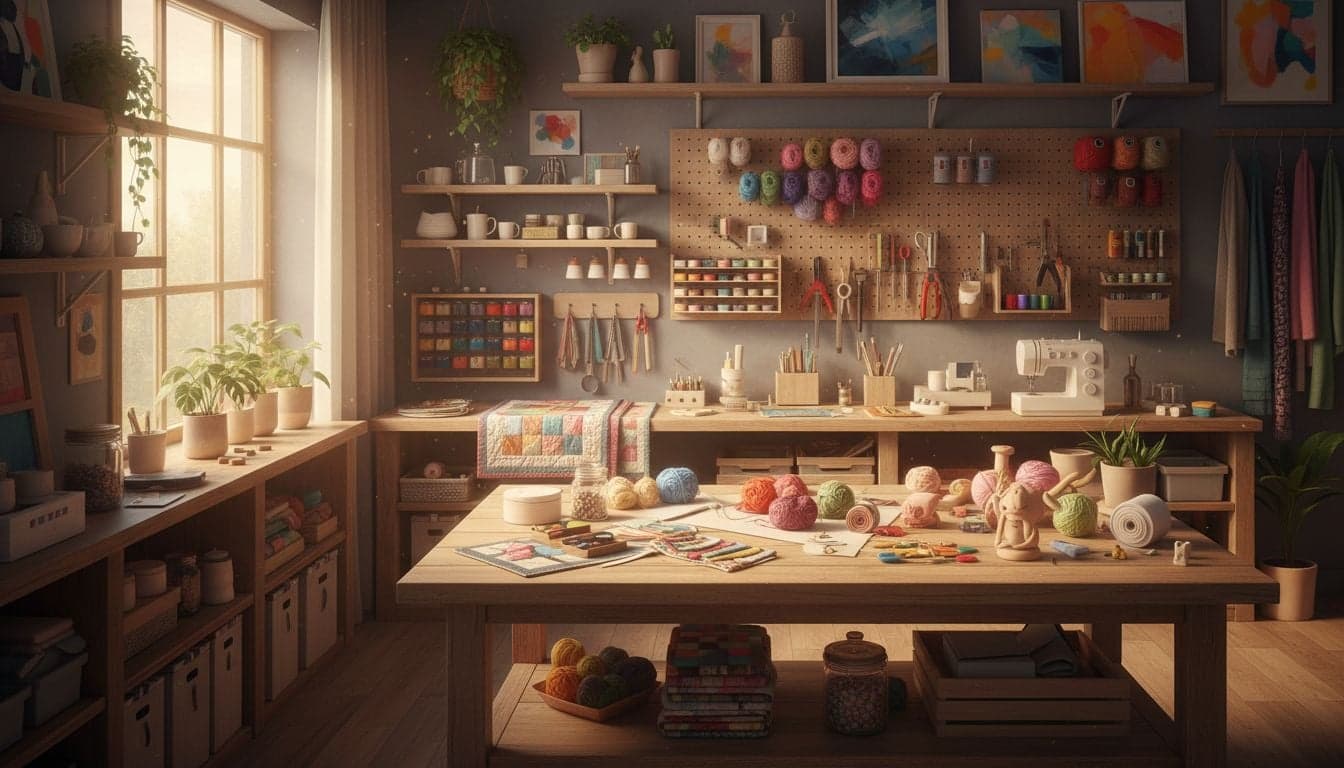
DIY and crafts content generates over 2.3 billion monthly views on YouTube, yet most creators struggle with the same challenge: producing consistent, high-quality tutorials without appearing on camera or spending hours filming. AI technology solves this problem by automating every aspect of craft tutorial creation, from generating unique project ideas to producing professional video content.
The DIY niche offers exceptional monetization potential with CPM rates between $8-15, significantly higher than entertainment content. Craft tutorials attract engaged audiences who watch entire videos, purchase recommended materials through affiliate links, and return for new projects. Building a faceless YouTube channel in this space requires no previous crafting experience—just the right AI tools and a systematic approach.
This guide reveals the complete workflow for creating a profitable DIY and crafts channel using AI-generated content, including project ideation, visual creation, voiceover production, and optimization strategies that drive views.
Why DIY Content Dominates YouTube
The DIY and crafts niche maintains consistent search volume throughout the year, with seasonal spikes during holidays and back-to-school periods. Viewers actively search for specific project tutorials, creating predictable traffic patterns that faceless YouTube channels can capitalize on through strategic content planning.
Craft tutorials solve real problems for viewers who want to save money, create personalized items, or learn new skills. This practical value translates into exceptional watch time—craft videos average 8-12 minutes per view compared to 3-4 minutes for general entertainment content. YouTube's algorithm rewards this engagement with increased recommendations and search visibility.
Search-driven traffic: 67% of craft tutorial views come from YouTube search rather than recommendations, providing stable, predictable growth.
Multiple revenue streams: Combine AdSense with affiliate links for craft supplies, sponsored content from craft brands, and digital product sales.
Evergreen content: Project tutorials remain relevant for years, continuing to generate views and revenue long after publication.
Low competition in sub-niches: While general crafts channels saturate the market, specific categories like upcycled home decor or budget party decorations have minimal quality competition.
The faceless format works particularly well for DIY content because viewers focus on the project itself, not the creator's personality. AI tools enable production of these tutorials at scale while maintaining professional quality standards.
Setting Up Your AI-Powered DIY Channel
Successful craft channels establish clear positioning before publishing their first video. Choose a specific sub-niche within DIY and crafts rather than attempting to cover everything. Focused channels build more engaged audiences and rank better in YouTube search.
Selecting Your Craft Sub-Niche
Analyze existing successful channels to identify gaps in the market. Use YouTube's search autocomplete and related searches to discover what viewers actively seek but struggle to find.
Home decor crafts: Wall art, decorative items, room organization solutions.
Upcycling projects: Transform thrift store finds, repurpose household items, budget makeovers.
Paper crafts: Card making, scrapbooking, origami, paper flowers.
Holiday crafts: Seasonal decorations, gift ideas, party supplies for specific occasions.
Kids' crafts: Educational projects, entertainment activities, school supplies.
Jewelry making: Beading, wire wrapping, resin jewelry, polymer clay.
Validate your niche choice by searching related terms on YouTube and examining video performance. Look for topics with 50K-500K views per video—enough demand to justify content creation, but not so saturated that new channels cannot gain traction.
Channel Branding and Setup
Create professional channel branding using AI design tools. Your channel name should clearly communicate your niche while being memorable and searchable. Include relevant keywords without sounding spammy.
Design a channel banner and profile image that establishes visual consistency across your content. Use Canva or similar tools to create templates that maintain brand recognition while allowing variation for individual videos.
Generating DIY Project Ideas with AI
AI language models excel at generating unique craft project variations based on trending topics, seasonal themes, and viewer requests. This eliminates the creative bottleneck that limits traditional craft channels to publishing only when inspiration strikes.
Use ChatGPT or Claude with specific prompts that generate detailed project concepts including required materials, difficulty level, time requirements, and potential viewer appeal. Request multiple variations to build a content calendar spanning several months.
Effective AI Prompting for Craft Ideas
Structure your prompts to extract maximum value from AI capabilities. Provide context about your channel's niche, audience demographics, and content goals.
Refine generated ideas by requesting specific variations or combining elements from multiple suggestions. AI tools can transform a simple concept into dozens of unique projects by adjusting materials, techniques, color schemes, or intended uses.
Seasonal angles: Request holiday-specific variations of successful projects to capitalize on seasonal search spikes.
Trend integration: Ask AI to incorporate current design trends like maximalism, cottagecore, or sustainable living into craft projects.
Difficulty progression: Generate beginner, intermediate, and advanced versions of the same project type to serve different skill levels.
Material substitutions: Request alternatives using common household items to lower barriers to entry for viewers.
Create videos like this with AI
Script, voiceover, images and subtitles — automated in minutes.
Creating Visual Content for Craft Tutorials
Traditional DIY channels require extensive filming of each project step, proper lighting setup, multiple camera angles, and hours of editing. AI-generated visuals eliminate this production bottleneck while maintaining professional quality that matches or exceeds traditional video content.
Vexub specializes in transforming text descriptions into polished video sequences that demonstrate craft projects step-by-step. The platform generates consistent visual style across your content library, building brand recognition while allowing creative flexibility for individual projects.
Step-by-Step Visual Generation
Break your craft project into distinct steps, typically 5-10 major phases from materials gathering through final presentation. Write detailed descriptions for each step that AI can translate into compelling visuals.
Specify camera angles, focal points, and visual emphasis in your descriptions. Request close-ups for detailed work, wide shots to show overall progress, and before-after comparisons that highlight transformations.
Materials and tools laid out on clean workspace with natural lighting.
Close-up of hands performing the first assembly step with clear visibility of technique.
Progress shot showing partial completion with emphasis on key structural elements.
Detail shot of decorative elements or finishing touches being applied.
Final reveal showing completed project from multiple angles in styled environment.
Maintain consistent visual aesthetics across your channel by establishing style guidelines for AI generation. Specify preferred color palettes, backgrounds, lighting conditions, and compositional elements that reinforce your brand identity.
Enhancing Visual Appeal
Craft viewers expect clean, well-lit visuals that clearly demonstrate techniques and showcase finished projects. AI-generated content can achieve this standard by incorporating specific visual elements that professional DIY creators use.
Overhead shots: Popular for demonstrating assembly steps and showing spatial relationships between materials.
Hands-only focus: Maintains faceless format while adding human element that builds connection with viewers.
Progress sequences: Show transformation through time-lapse style presentation of major phases.
Styled final shots: Present completed projects in attractive settings that inspire viewers to recreate them.
Use transition effects between steps that feel natural rather than jarring. Smooth dissolves, gentle zooms, and panning movements guide viewer attention while maintaining professional production quality.
Scripting and Voiceover Production
Effective craft tutorials balance verbal instruction with visual demonstration. Your script should clarify techniques, provide helpful tips, and maintain engagement without overwhelming viewers with unnecessary information.
Structure scripts in conversational tone that addresses the viewer directly using 'you' and 'your.' Avoid formal or academic language that creates distance. Imagine explaining the project to a friend who's trying it for the first time.
Script Elements That Drive Engagement
Open each video with a brief hook that shows the finished project and promises value. Viewers should understand within 5 seconds what they'll create and why it matters.
Problem statement: Identify the specific need this project addresses or problem it solves.
Difficulty and time estimate: Set realistic expectations about required skill level and time investment.
Materials overview: List everything needed before starting detailed instructions, allowing viewers to gather supplies.
Step-by-step instructions: Break down the process into clear, sequential actions with explanations of why each step matters.
Tips and variations: Share insights that help viewers succeed and customize projects to their preferences.
Final reveal and styling suggestions: Show completed project and provide ideas for display or use.
AI voice generators create natural-sounding voiceovers that match your channel's personality. Choose voices that sound friendly, encouraging, and confident—qualities that inspire viewers to attempt projects themselves.
Optimizing Voiceover Delivery
Pacing matters significantly in craft tutorials. Speak slowly enough for viewers to absorb instructions while maintaining momentum that prevents boredom. Insert brief pauses after each major step to allow mental processing.
Emphasize key actions and important warnings through vocal inflection. Highlight measurements, timing requirements, safety precautions, and critical techniques that determine project success.
Monetization Strategies for DIY Channels
DIY and crafts channels access multiple revenue streams beyond standard YouTube AdSense. Strategic integration of these income sources increases profitability without compromising viewer experience.
Affiliate marketing generates substantial revenue for craft channels because viewers actively seek product recommendations. Partner with craft supply retailers like Amazon, Michaels, or specialty suppliers to earn commissions on materials featured in your tutorials.
Building Profitable Product Relationships
Create dedicated resource pages on your website or use link management tools that organize supplies by project. Include direct links in video descriptions under clear headers like 'Materials Used' or 'Where to Buy.'
Amazon Associates: Broad product selection with competitive commission rates and integration with YouTube's merchandise shelf.
Craft-specific affiliate programs: Higher commission rates from specialized retailers targeting your specific niche.
Tool manufacturers: Direct partnerships offering exclusive discounts for your audience and higher commission percentages.
Disclose affiliate relationships clearly to maintain trust while complying with FTC guidelines. Frame links as helpful resources rather than aggressive sales pitches.
Digital Product Development
Package your expertise into digital products that provide additional value while generating passive income. Craft audiences willingly purchase templates, patterns, supply lists, and comprehensive project guides.
Printable templates: Offer exact patterns used in videos as downloadable PDFs.
Project bundles: Compile related tutorials with exclusive content into themed collections.
Supply shopping lists: Create detailed material guides with specific product recommendations and shopping links.
Video tutorials: Sell extended versions with additional techniques, variations, or troubleshooting guidance.
Promote digital products naturally within video content without disrupting the tutorial flow. Mention their availability during relevant moments—like referencing a detailed template when showing pattern cutting or highlighting an advanced techniques guide when demonstrating complex steps.
Content Strategy and Publishing Schedule
Consistent publishing schedules build audience expectations and signal channel activity to YouTube's algorithm. DIY channels perform well with 2-3 videos per week, balancing content volume with production quality.
Plan content around seasonal trends and search patterns. Begin creating holiday craft content 6-8 weeks before the actual holiday to capture early searchers and build momentum as the season approaches.
Strategic Content Calendar
Mix evergreen projects with timely seasonal content to maintain steady traffic year-round. Evergreen tutorials continue generating views indefinitely, while seasonal videos drive traffic spikes that boost overall channel visibility.
Analyze your channel analytics to identify top-performing content categories and double down on proven topics. Create series around popular themes, building playlists that encourage binge-watching and increase session duration.
SEO Optimization for DIY Content
Craft tutorial searches often include specific materials, occasions, or styles. Research exact search phrases using YouTube autocomplete, Google Trends, and keyword tools to identify how your target audience describes projects.
Structure titles using proven formulas that incorporate target keywords while promising clear value. The most effective faceless cooking channel strategies apply equally to craft content—specificity drives clicks and views.
Project description + materials: 'Easy Paper Flower Tutorial Using Coffee Filters'
Outcome + difficulty level: 'Professional-Looking Wall Art Anyone Can Make'
Budget angle + result: '$10 Dollar Store Craft That Looks Expensive'
Time estimate + occasion: '30-Minute DIY Christmas Decorations'
Write comprehensive descriptions that include target keywords naturally while providing genuine value. List materials, include timestamps for major steps, add relevant hashtags, and link to related tutorials on your channel.
Scaling Your AI-Powered Craft Channel
Once your channel gains traction, systematize production workflows to increase output without sacrificing quality. Document your content creation process, build template libraries, and establish quality standards that maintain consistency across videos.
Batch content creation by generating multiple project ideas, scripts, and visual sequences during dedicated production sessions. This approach maximizes efficiency while maintaining creative flow that produces better content than scattered, reactive creation.
Expand into related niches as your audience grows. A home decor craft channel might add organization solutions, budget decorating, or seasonal styling content that serves the same audience with complementary topics. Cross-promote this content to encourage viewers to explore your full library.
AI tools like Vexub transform DIY content creation from a labor-intensive process requiring filming equipment and editing expertise into a streamlined system that anyone can execute. The result is professional craft tutorials that educate, inspire, and generate sustainable revenue through multiple monetization channels.







