
Understanding Common AI Video Quality Problems
Creating videos with AI tools offers unprecedented convenience and creativity, yet you might encounter unexpected quality issues. It's crucial to understand why these problems occur and how to address them effectively.
Issues such as blurriness, flickering, or poor synchronization can significantly impact the viewer experience. These problems often stem from the underlying algorithms or settings not being optimized for specific video types or conditions.
Why Do AI Videos Sometimes Look Poor?
AI-generated videos might look subpar due to several factors. One primary reason is the data quality used to train the AI model. If the training data lacks diversity or contains errors, the output videos may reflect these shortcomings.
Another factor is the complexity of the rendering process. AI models require substantial computational power to generate high-quality videos. Insufficient resources can lead to compromised video quality.
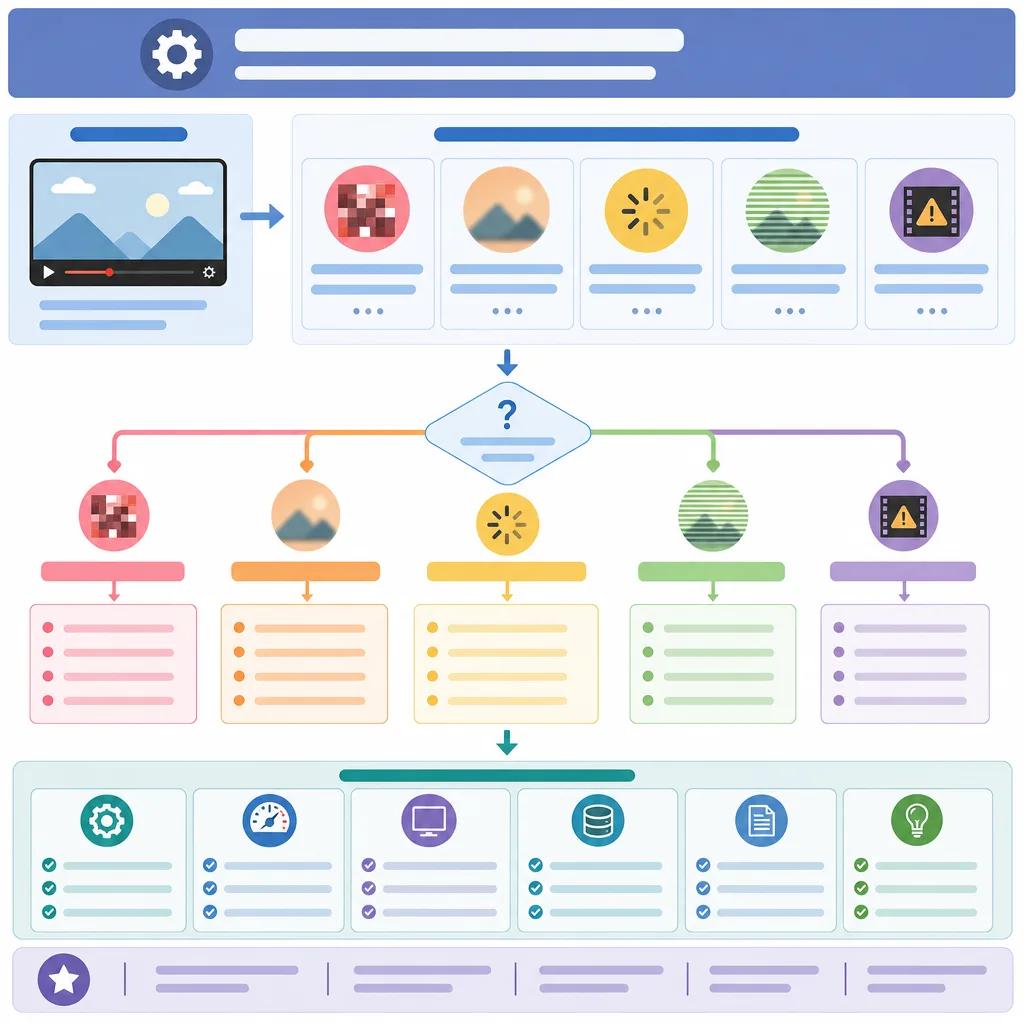
Effective Strategies to Enhance AI Video Quality
Improving the quality of AI-generated videos involves optimizing both the input data and the settings of the AI tools. Here are some strategies to consider:
Ensure high-quality, diverse data for training and testing.Optimize rendering settings within your AI tool for the best results.Regularly update your AI software to leverage the latest improvements.
Platforms like Vexub offer detailed guides on optimizing settings for different video formats. You can explore our article on render and export settings to ensure you are using the best configurations.
Addressing Specific Video Quality Issues
Blurry Videos
Blurriness in AI videos often results from low-resolution data or incorrect settings. To fix this, make sure your input data is of high quality and ensure your rendering settings match the intended output resolution.
Adjusting the focus settings in your AI tool can also help. Vexub provides tools that allow you to fine-tune these parameters, ensuring a sharper image.
Flickering Effects
Flickering can be caused by inconsistent frame rates or lighting conditions. Synchronize your frame rate settings across all video components and use consistent lighting during video creation.
Check out our guide on creating high-quality AI videos for more detailed tips on avoiding flickering and other common issues.
Create videos like this with AI
Script, voiceover, images and subtitles — automated in minutes.
Leveraging Advanced Tools for Better Results
Advanced AI tools offer numerous features that can enhance video quality. For instance, using AI-driven video editing software can help you automatically adjust lighting and color balance, ensuring a more polished output.
Furthermore, employing specialized AI tools for tasks such as podcast marketing can streamline your workflow and improve the overall quality of your content.

Ensuring Consistent Quality Across Different Platforms
Different platforms have varying requirements for video quality and format. It’s essential to tailor your video's specifications to match these requirements for optimal performance.
For instance, if you are creating content for YouTube, familiarize yourself with the platform's specific video quality standards. Our article on AI video SEO for YouTube offers insights into aligning your video quality with platform expectations.
Conclusion: Achieving High-Quality AI Videos
Troubleshooting AI video quality problems requires a comprehensive approach, from understanding the underlying issues to applying effective solutions. By leveraging advanced tools like Vexub and maintaining a keen eye on data and settings, you can significantly enhance your AI video projects.
Remember, continuous learning and adaptation are key. Stay updated with the latest in AI video creation to ensure your content remains engaging and of high quality.







