
Introduction
Removing a project in Vexub helps you eliminate excess or outdated work from your workspace. These are the steps to follow to prevent deleting the wrong project. The outcome of this process is that your workspace is always organized, clean, and clutter-free, thereby enabling better work and improved results in project management.
Step 1
Sign in to your Vexub account with your username/ password or with your Google account.

Step 2
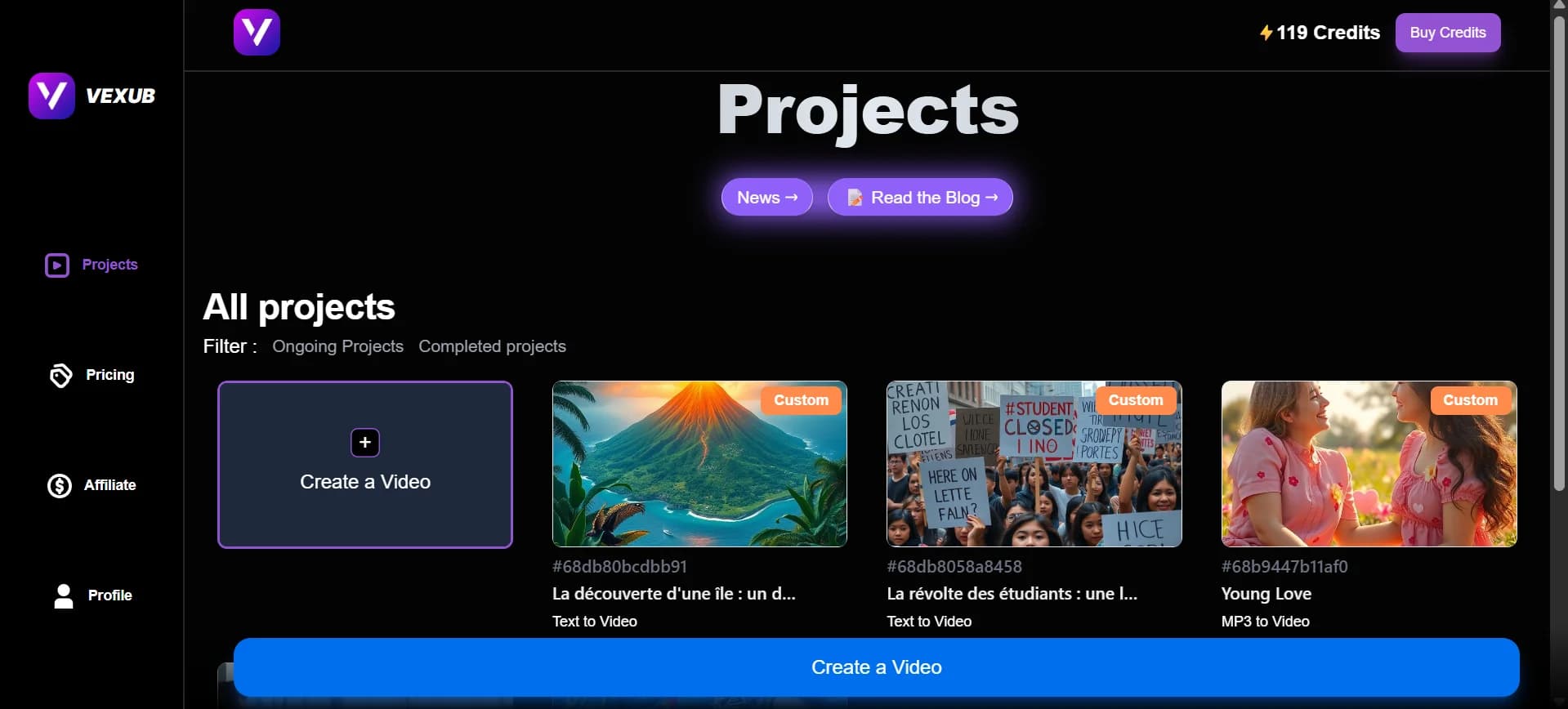
Go to the Projects. In this section, all of your created projects are listed.
Step 3
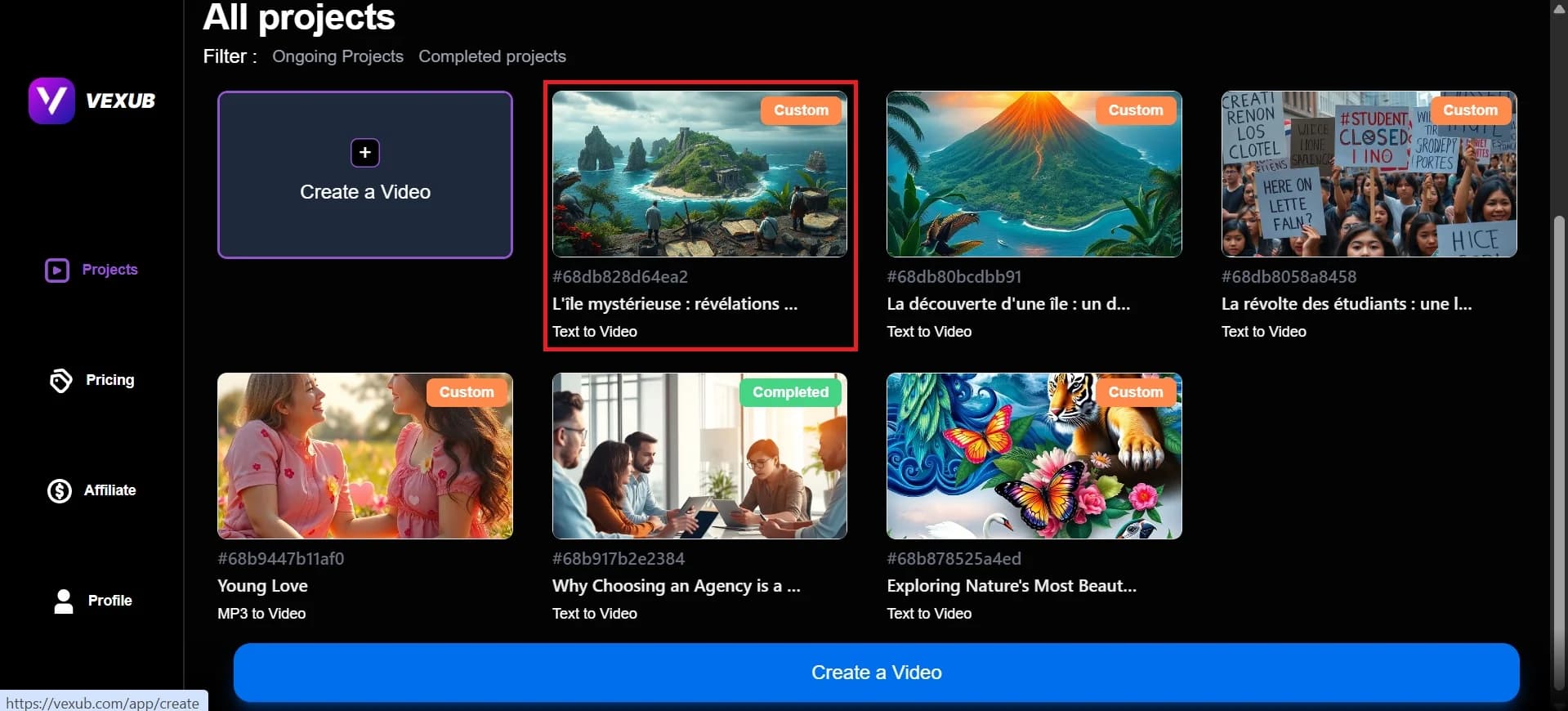
Select the video you want to delete.
Step 4
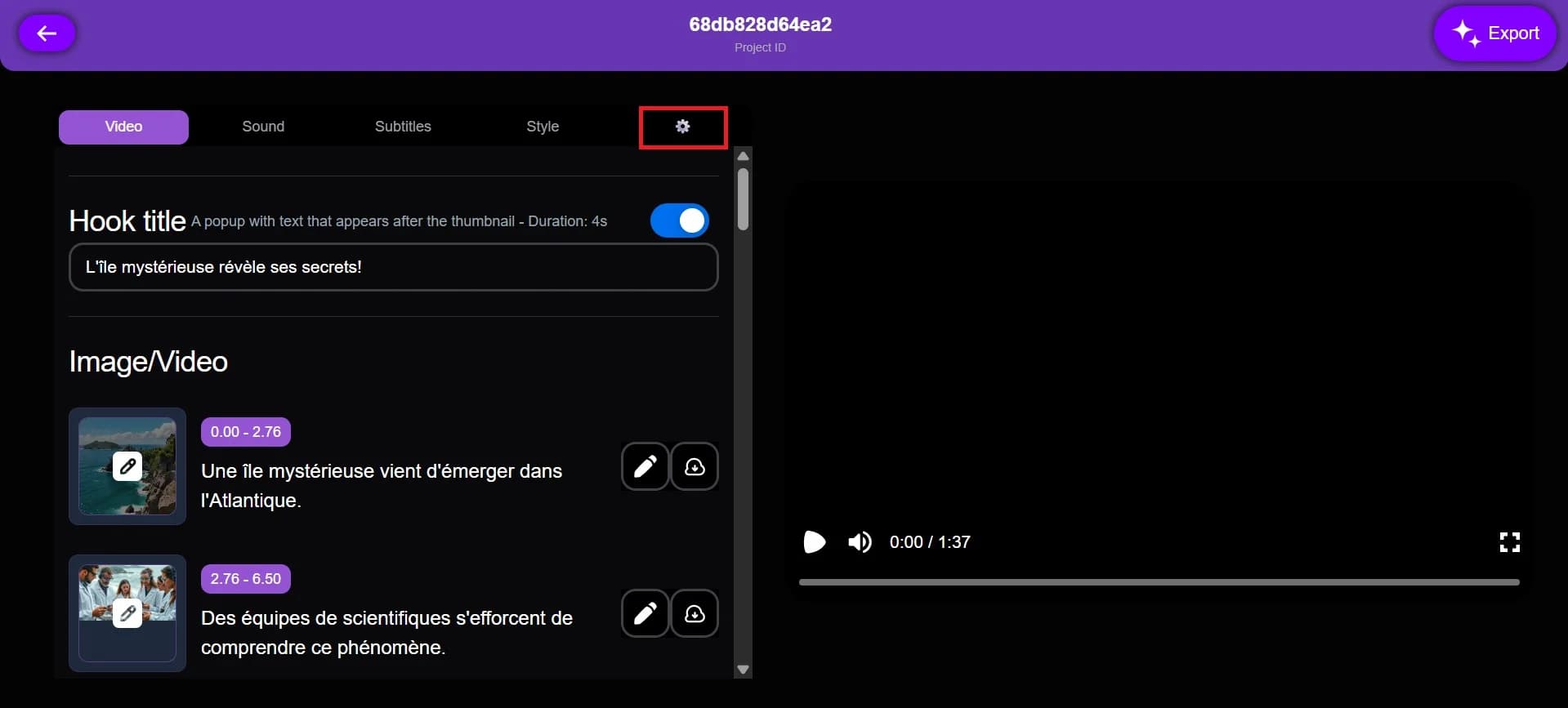
Click on the settings icon.
Step 5
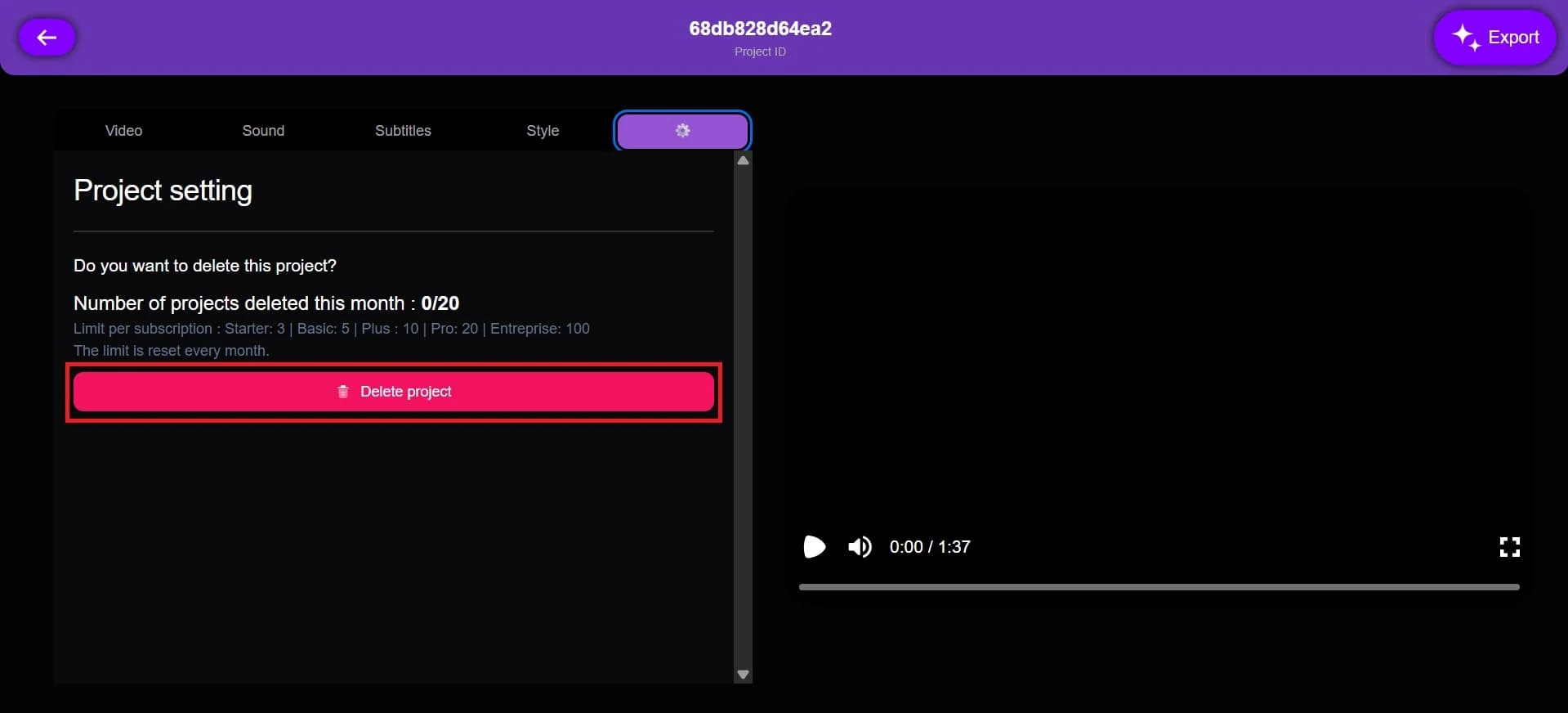
After clicking on the settings icon, you will see this type of interface. Click on Delete Project.
Final Step
Click on i want to delete the project.
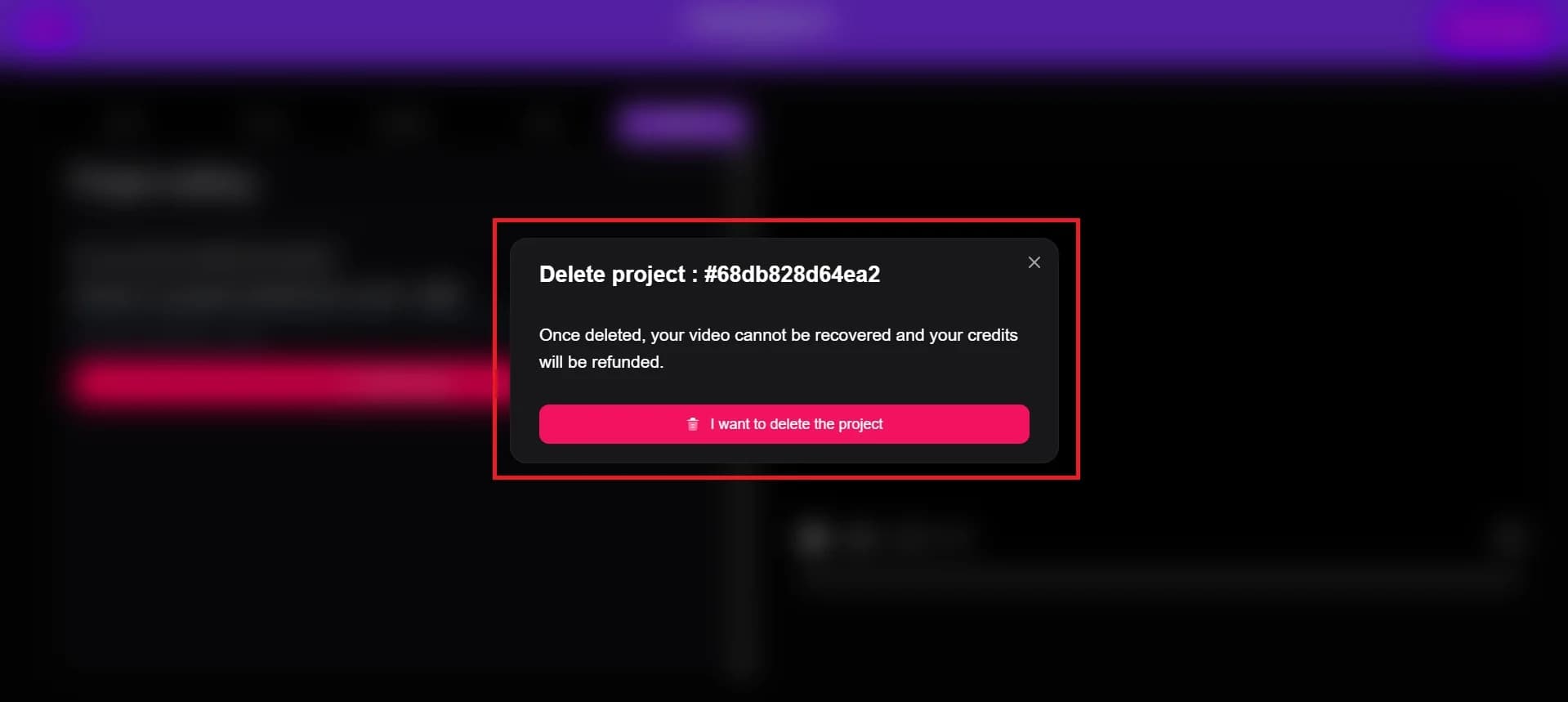
The project you have chosen has been removed from your Vexub workspace.
For more on this topic, check out our guide on Navigate Vexub Dashboard: Projects and Workspace, our article on the Rise of AI Impossible Recipes Thanks to Vexub, and our guide to how To Enable Animated Emojis on Vexub.







