
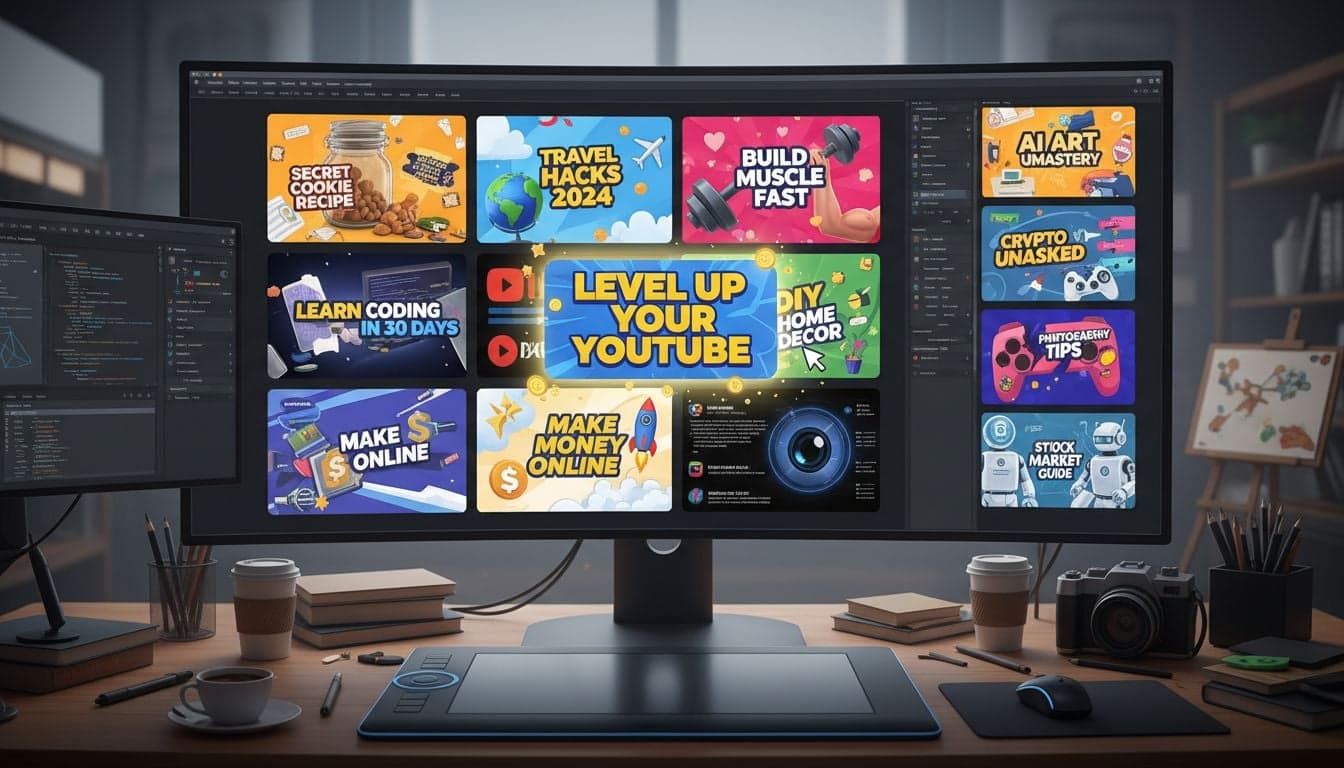
Your thumbnail has exactly 1.7 seconds to stop the scroll. Research shows that 90% of the best-performing YouTube videos share one trait: thumbnails designed with precision to trigger clicks. The difference between a 2% click-through rate and an 8% CTR often comes down to thumbnail quality alone.
AI thumbnail design tools have transformed how creators approach this critical element. Instead of spending hours in Photoshop or hiring expensive designers, you can now generate professional, data-driven thumbnails in minutes. The results speak for themselves—creators using AI-optimized thumbnails report CTR increases of 40% to 150%.
This guide breaks down the exact AI tools, design principles, and testing strategies that top creators use to design thumbnails that convert browsers into viewers.
Why Thumbnail Design Determines Video Success
YouTube's algorithm prioritizes videos that generate high click-through rates within the first 24 hours. Your thumbnail isn't just visual packaging—it's the primary signal that determines whether the algorithm promotes your content or buries it.
Consider the economics: A video with a 3% CTR needs 100,000 impressions to generate 3,000 views. That same video with a 9% CTR generates 9,000 views from identical impressions. The thumbnail accounts for roughly 80% of the click decision, with the title handling the remaining 20%.
Immediate pattern recognition: The human brain processes images 60,000 times faster than text. Your thumbnail must communicate value before conscious thought begins.
Mobile-first reality: Over 70% of YouTube watch time happens on mobile devices, where thumbnails appear at 168x94 pixels. Details that look sharp on desktop become unreadable mud on phones.
Competition density: Your thumbnail competes against 20+ other videos in every recommended feed. Distinct visual elements separate winners from invisible content.
The shift to AI thumbnail design addresses these challenges systematically. AI tools analyze millions of high-performing thumbnails to identify patterns in color psychology, composition, facial expressions, and text hierarchy that drive clicks.
Core Principles of Click-Worthy Thumbnail Design
Before exploring specific AI tools, understand the design fundamentals that separate effective thumbnails from amateur attempts. These principles apply whether you're using AI generation or traditional design software.
The Three-Second Recognition Test
Your thumbnail must communicate its core message in three seconds or less. This means ruthlessly prioritizing one main visual element and one text overlay—never three or four competing elements.
High-performing thumbnails follow the focal point hierarchy: Face or main subject (60% of visual weight), text overlay (30%), background elements (10%). Breaking this hierarchy creates visual confusion that kills CTR.
Color Contrast and Platform Integration
YouTube's interface uses red, black, and white as primary colors. Thumbnails that incorporate complementary colors—particularly bright blues, yellows, and greens—create natural contrast against the platform background.
High saturation wins: Desaturated or muted colors blend into feeds. Vibrant, saturated colors generate 38% higher CTR according to platform analytics.
Avoid platform colors: Red text on red backgrounds creates camouflage effect. Use YouTube's own color palette as your contrast baseline.
Test in dark mode: Over 65% of mobile users enable dark mode. Thumbnails optimized only for light backgrounds lose visibility in dark feeds.
Text Overlay Strategy
Text should occupy 25-35% of thumbnail space—enough to read clearly on mobile, not so much that it overwhelms the visual. Limit text to 3-5 words maximum. Phrases like 'How to Make Money Online' become 'Make $$$ Online' in thumbnail format.
Font choices matter more than most creators realize. Sans-serif fonts in ultra-bold weights (900+) maintain legibility at small sizes. Script fonts and thin weights become illegible on mobile devices.
Create videos like this with AI
Script, voiceover, images and subtitles — automated in minutes.
Best AI Tools for Thumbnail Design
The AI thumbnail design landscape has matured rapidly. These tools offer different approaches—some focus on generation from text prompts, others on optimizing existing designs, and several provide data-driven A/B testing features.
Vexub Thumbnail Generator
Vexub's integrated thumbnail creation tool generates thumbnails automatically from your video content. The system analyzes your video script, identifies key emotional moments, and produces thumbnails optimized for your specific niche.
The advantage: thumbnails align perfectly with video content because they're generated from the same source material. This consistency improves viewer satisfaction—reducing early drop-off rates by ensuring thumbnails accurately preview content.
Input your video script or topic
Select thumbnail style from niche-specific templates (tech review, tutorial, storytelling, reaction)
AI generates 3-5 variations with different compositions, expressions, and text overlays
Download or directly integrate with your video project
Vexub thumbnails work particularly well for faceless content channels, where consistent branding across thumbnails builds recognition faster than face-based designs. Learn more about building these channels with faceless YouTube video strategies.
Canva AI Thumbnail Maker
Canva's Magic Design feature creates thumbnail variations from text prompts. The tool excels at producing polished, template-based designs that maintain professional quality even for creators with zero design background.
Strengths include massive template libraries (10,000+ YouTube-specific templates), brand kit integration for consistent styling across videos, and background removal AI that isolates subjects with one click.
Limitations: Templates often look derivative because millions of creators access identical starting points. Customization requires manual editing to achieve uniqueness.
Thumbly AI Optimization
Thumbly takes a different approach—analyzing your existing thumbnails and suggesting specific improvements based on CTR prediction models. Upload a thumbnail draft, receive scored feedback on facial expressions, color contrast, text readability, and composition balance.
The tool compares your design against its database of 2 million+ high-performing thumbnails across 50+ niches. Specific recommendations like 'Increase text size by 24%' or 'Shift face 15% left for rule-of-thirds alignment' provide actionable optimization steps.
MidJourney for Custom Thumbnail Backgrounds
For creators wanting completely unique visual backgrounds, MidJourney generates custom imagery from text descriptions. Prompts like 'cinematic explosion background, orange and blue color grading, dramatic lighting' produce one-of-a-kind backgrounds impossible to replicate.
Combine MidJourney backgrounds with face cutouts and text overlays in tools like Photopea for thumbnails that stand out in crowded niches. This approach requires more steps but delivers maximum differentiation.
Advanced Thumbnail Testing Strategies
Creating thumbnails represents half the equation. Testing reveals which designs actually drive clicks in real-world conditions. YouTube's built-in A/B testing disappeared in 2023, but alternative methods provide equally valuable data.
The Upload Rotation Method
Create 3-4 thumbnail variations for each video. Upload the video with thumbnail A, monitor CTR for 48 hours in YouTube Studio. Swap to thumbnail B, monitor another 48 hours. Compare CTR performance across the same video at the same stage of its lifecycle.
This method controls for variables like algorithm promotion phase and audience freshness. The thumbnail generating higher CTR becomes your permanent choice.
Platform-Specific Optimization
Thumbnails optimized for YouTube often fail on TikTok or Instagram. Platform differences require separate optimization:
YouTube: 16:9 ratio, maximum 2MB file size, optimize for desktop and mobile equally
TikTok: 9:16 vertical format, movement indicators (arrows, circles) improve CTR by 28%
Instagram: 1:1 or 4:5 ratio, face closeups outperform wide shots by 3x
Generate platform-specific variations rather than using identical thumbnails across channels. The 10 minutes spent creating custom versions generates measurable CTR improvements.
Heat Mapping Analysis
Services like EyeFlow analyze where viewers' attention focuses on your thumbnail. Upload your design, receive heat maps showing attention concentration areas, attention flow patterns, and blind spots where important elements get ignored.
Common discoveries: Text placed in bottom-left corners gets ignored 73% of the time. Faces looking directly at camera hold attention 2.3x longer than profile angles. Arrows and circles boost attention to CTAs by 156%.
Thumbnail Design Mistakes That Kill CTR
Even AI-generated thumbnails fail when creators override tool recommendations with personal preferences. These mistakes appear in 60%+ of low-performing thumbnails:
Cluttered compositions: Adding every topic point to the thumbnail creates visual chaos. One clear message beats three competing messages every time.
Illegible text on mobile: Text that looks perfect on your 27-inch monitor becomes unreadable on 6-inch phone screens. Always preview thumbnails at 168x94 pixels before finalizing.
Generic stock photos: Viewers recognize stock imagery instantly. Stock photos generate 41% lower CTR than original photography or AI-generated images.
Inconsistent branding: Thumbnails that vary wildly in style, color palette, and composition prevent channel recognition. New viewers can't identify your content in recommended feeds.
Misleading preview images: Thumbnails that over-promise or misrepresent video content generate clicks but destroy watch time. YouTube's algorithm punishes high CTR combined with low retention.
The temptation to use clickbait thumbnails generates short-term gains but long-term algorithm penalties. Authentic representation builds sustainable channel growth.
Optimizing Thumbnails for Different Content Types
Tutorial videos, vlogs, product reviews, and storytelling content require distinct thumbnail approaches. AI tools adapt to these categories when prompted correctly.
Tutorial and Educational Content
Educational thumbnails should showcase the final result or transformation. Before/after splits, numbered steps, and clear outcome previews drive clicks for tutorial content.
Text overlays work better as questions ('How to...?') or promises ('Master X in 10 Minutes') rather than topic labels ('Photoshop Tutorial'). Specific promises outperform generic descriptions by 67%.
Entertainment and Storytelling
Emotional expressions drive clicks for entertainment content. Surprised, shocked, or exaggerated facial expressions generate 3-5x higher CTR than neutral expressions.
Story thumbnails benefit from visual intrigue—partially obscured elements, unexpected juxtapositions, or visual questions that the video promises to answer. The goal: create curiosity gaps that only watching can resolve.
Review and Comparison Content
Product images should occupy 50-60% of thumbnail space for review content. Overlay text communicates verdict ('Worth It?' or '10/10 Rating') rather than product name.
Comparison thumbnails work best with split-screen designs showing both products equally. Avoid favoring one side visually if the video provides balanced comparison—viewer trust depends on perceived objectivity.
Integrating Thumbnails with Complete Video Strategy
Thumbnails don't exist in isolation. The highest-performing videos align thumbnails with titles, opening hooks, and content delivery. This integration creates consistency that satisfies viewer expectations and maximizes watch time.
When your thumbnail promises 'Fastest Method to Edit Videos,' your first 15 seconds must deliver that exact promise. Delays or tangents cause immediate drop-off, signaling to YouTube that your thumbnail misleads viewers.
Learn how thumbnail optimization connects with broader YouTube SEO and ranking strategies to maximize video performance across multiple metrics.
AI thumbnail design tools remove the technical barriers that previously limited creators to amateur designs or expensive designer fees. The difference between channels that grow and channels that stagnate often comes down to these seemingly small visual details.
Start with AI-generated thumbnails from Vexub, test multiple variations systematically, analyze performance data, and refine your approach based on actual CTR results. This data-driven iteration builds thumbnail expertise faster than any amount of design theory.







