
Audio issues in AI-generated videos can undermine your content's success. Whether it's a sync issue or poor sound quality, these problems can frustrate and alienate your audience. With the rise of AI in video creation, understanding how to tackle these issues is crucial.
This guide dives into troubleshooting audio issues in AI videos effectively. We'll cover common problems and provide actionable solutions, ensuring your AI videos maintain professional audio quality. Let’s explore how to enhance your video production with clear and synchronized sound.
Understanding Common Audio Problems in AI Videos
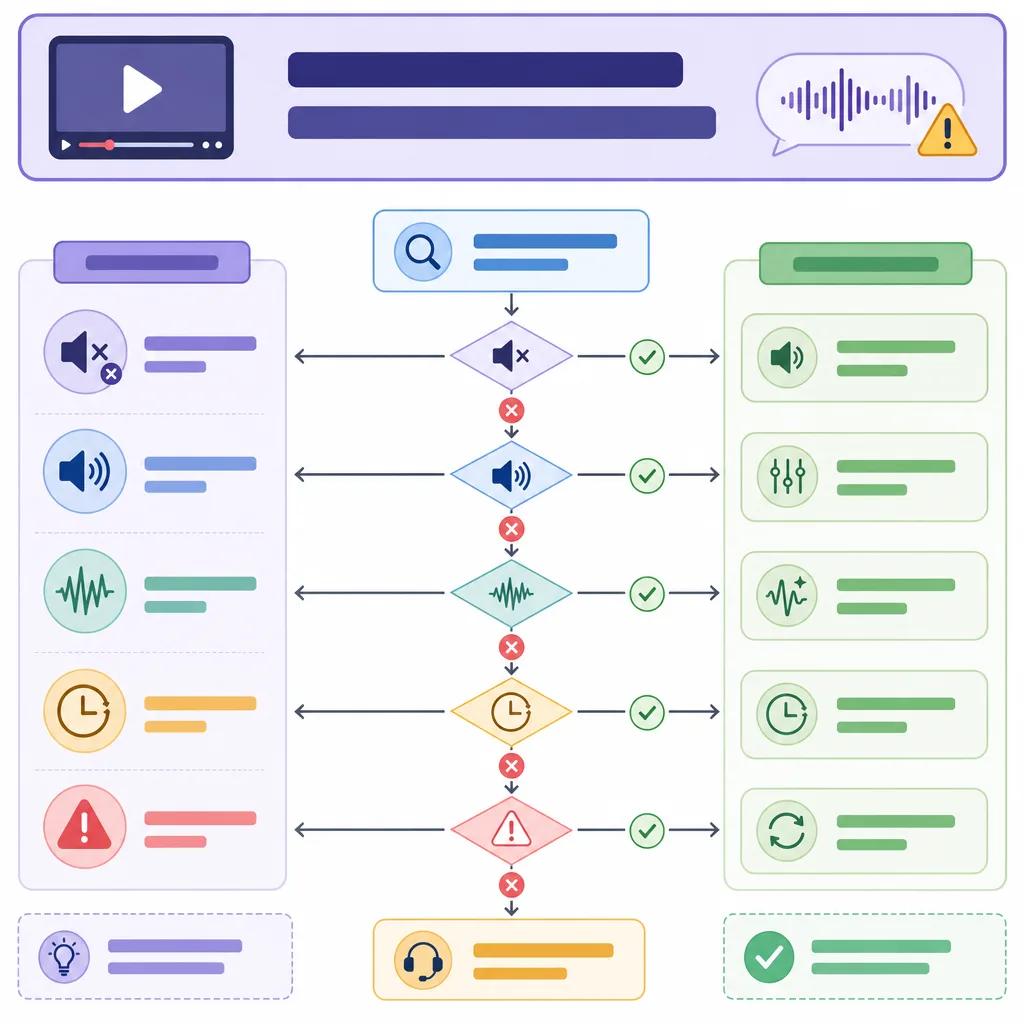
The first step in resolving audio issues is understanding the common problems. AI-generated videos may suffer from sound distortion, sync issues, or background noise. These issues often stem from algorithmic limitations or improper audio integration. Identifying the root cause is key to finding the right solution.
Sound distortion typically arises from incorrect audio encoding or excessive compression. Sync issues, where the audio does not match the video, can result from processing delays or mismatched frame rates. Background noise might be introduced during audio capture or due to poor noise filtering by AI algorithms.
To address these challenges, you need to assess the audio quality throughout different stages of your video production. This involves checking the initial recording, the AI processing phase, and the final output. By pinpointing where the issue occurs, you can apply targeted fixes.
Techniques to Fix Audio Sync Issues
Audio sync problems are among the most noticeable issues in AI videos. When the audio does not align with the visual content, it disrupts the viewer's experience. Fortunately, there are several techniques to rectify this problem.
Start by verifying the frame rate consistency between your audio and video tracks. A mismatch in frame rates can cause desynchronization. Adjust the frame rates to ensure they match. Additionally, consider using AI tools that specialize in audio synchronization, like those offered by Vexub.
Another effective approach is to manually adjust the timing of your audio track. Editing software allows you to nudge audio clips forward or backward to achieve perfect sync. While this method can be time-consuming, it ensures precision in alignment.
Improving Sound Quality with Advanced Tools
AI videos often suffer from poor sound quality due to low bitrate or inadequate noise suppression. Enhancing sound quality involves using advanced tools designed for audio improvement. These tools can help you achieve clearer and more professional audio output.
Implementing higher bitrate settings during the audio export process can significantly improve sound clarity. A higher bitrate ensures more data is used to represent the audio, reducing artifacts and distortion. Additionally, consider using AI-powered noise reduction software to minimize unwanted background sounds.
Platforms like Vexub offer integrated audio enhancement features. These features use machine learning algorithms to automatically adjust audio settings for optimal quality. Such tools are invaluable for creators seeking quick and effective sound improvements.
Addressing Background Noise and Echo
Background noise and echo are frequent nuisances in AI video production. These issues can detract from the overall audio quality, making your content less engaging. To combat these problems, you need to employ both preventive and corrective measures.
Preventive measures include recording in a controlled environment where external sounds are minimized. Additionally, using directional microphones can help capture the desired audio while rejecting ambient noise. Corrective measures involve applying noise reduction filters during post-production.
Utilize audio editing software that supports adaptive noise reduction and echo cancellation. These tools can automatically detect and suppress unwanted sounds, resulting in a cleaner audio track. Vexub's platform includes features that streamline this process, making it easier for users to enhance their audio quality.

Leveraging AI for Audio Enhancement
AI technology itself can be a powerful ally in resolving audio issues. Modern AI applications offer advanced audio processing capabilities that enhance sound quality and synchronization. Leveraging these tools can transform your video content and elevate its auditory appeal.
AI-driven audio enhancements include features like automatic volume leveling, intelligent noise suppression, and voice clarity adjustment. These features make it easier to maintain consistent audio quality across different segments of your video. Moreover, AI can assist in real-time audio editing, allowing for immediate improvements during production.
Consider exploring platforms like Vexub which integrate AI solutions for comprehensive audio enhancement. These platforms simplify the process, enabling you to focus more on creative aspects rather than technical hurdles.
Create videos like this with AI
Script, voiceover, images and subtitles — automated in minutes.
Best Practices for Preventing Audio Issues
Preventing audio issues in AI videos requires a combination of preparation and the right technology. By adopting best practices, you can minimize the risk of encountering sound problems in your projects.
Begin with a thorough pre-production plan. Outline your audio requirements and test your recording equipment before starting. Ensure all devices are configured correctly and are compatible with your AI tools. This initial setup can prevent many common audio issues.
Additionally, keep your software and tools updated to the latest versions. Updates often include patches and improvements that can enhance audio handling. For more insights on maintaining quality in AI videos, check out our article on troubleshooting AI video clarity issues.
Conclusion: Enhancing Your AI Video Experience
Resolving audio issues in AI videos is essential for delivering high-quality content. By understanding common problems and implementing targeted solutions, you can significantly improve your video’s auditory performance. Utilize advanced tools and best practices to ensure your audience receives a seamless viewing experience.
Vexub offers a range of solutions designed to assist in troubleshooting and enhancing AI video sound. From sync correction to noise reduction, these tools empower creators to overcome audio challenges effortlessly. By leveraging these resources, you can focus on creating engaging content that resonates with your audience.







