
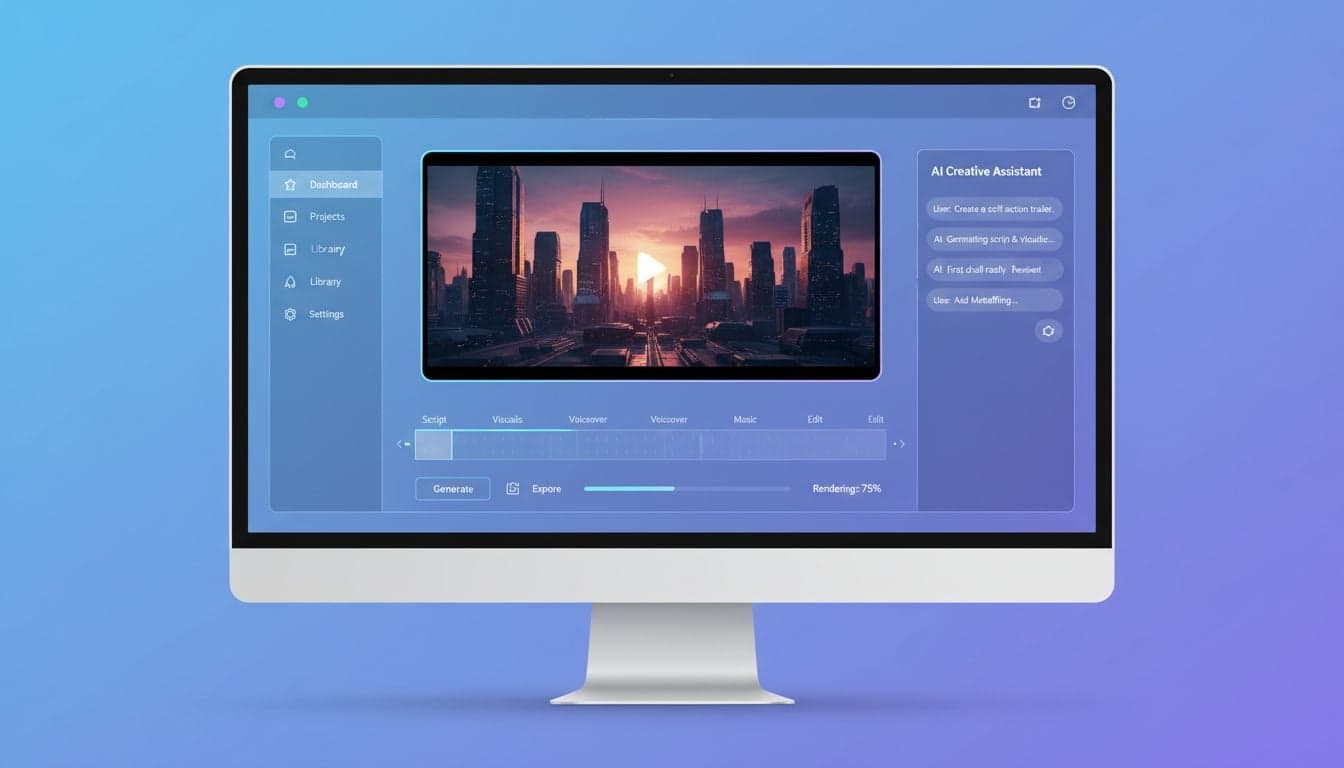
Vexub Agent Video transforms how you create content by handling the entire video production process through conversational AI. Instead of manually configuring settings, choosing visuals, and editing scenes, you simply describe what you want and the AI agent builds it for you.
This tutorial walks you through every step of using Vexub Agent Video, from writing your first brief to exporting your finished video. You'll learn how to communicate effectively with the agent, refine your videos, and leverage advanced features to create professional content in minutes.
By the end of this guide, you'll understand exactly how to use the AI video agent to produce engaging videos without technical expertise or video editing experience.
What Makes Vexub Agent Video Different
Traditional video creation tools require you to understand timelines, transitions, asset libraries, and editing interfaces. Vexub Agent Video eliminates this complexity through natural language processing.
The agent interprets your creative brief, selects appropriate visuals from millions of stock assets, generates or sources music, adds captions with dynamic styling, and assembles everything into a cohesive video. You control the output through conversation, not complicated menus.
Briefing system: Describe your video concept in plain English and the agent translates it into production specifications.
Intelligent asset selection: The AI analyzes your content and chooses relevant images, video clips, and animations automatically.
Adaptive pacing: Agent Video matches visual timing to your script's rhythm and emotional beats.
Style consistency: The agent maintains visual coherence across all scenes based on your initial direction.
This approach works especially well for creating short-form content where speed and consistency matter more than frame-by-frame control.
Getting Started: Your First Agent Video
Accessing the Agent Interface
Log into your Vexub account and navigate to the Agent Video section from the main dashboard. The interface opens with a clean chat window where you'll interact with the AI agent.
Click the 'New Project' button to start fresh. The agent greets you and asks for your video brief. This conversational approach feels more natural than filling out forms.
Writing an Effective Brief
Your brief should include three essential elements: topic, target audience, and desired tone. The more specific you are, the better the agent performs.
Example brief: "Create a 60-second video about morning productivity habits for young professionals. Use an upbeat, motivational tone with modern visuals. Include 5 key tips."
The agent processes this brief and responds with its interpretation, often asking clarifying questions like preferred aspect ratio (9:16 for TikTok, 16:9 for YouTube) or whether you want voiceover or text-only.
State your topic clearly: "Morning productivity habits" is better than "being productive."
Define your audience: "Young professionals" helps the agent choose appropriate visuals and language.
Specify tone and style: "Upbeat and motivational" guides music selection and pacing.
Include technical requirements: Duration, aspect ratio, caption preferences.
Initial Video Generation
After confirming your brief, the agent begins generating your video. This typically takes 2-5 minutes depending on length and complexity. The interface shows real-time progress:
Script generation (if you didn't provide one)
Visual asset selection
Music composition or selection
Caption styling and timing
Final rendering
Once complete, the video appears in the preview player. Watch it through completely before making changes — the agent often includes subtle touches you might miss on first glance.
Create videos like this with AI
Script, voiceover, images and subtitles — automated in minutes.
Refining Your Video Through Conversation
Making Specific Edits
The real power of Vexub Agent Video emerges when you refine the initial output. Instead of learning complex editing tools, you simply tell the agent what to change.
Try specific requests like:
"Replace the third scene with footage of a coffee shop"
"Make the captions yellow with a black outline"
"Speed up the pacing in the last 15 seconds"
"Change the background music to something more energetic"
The agent processes each request and regenerates only the affected portions, preserving everything else. This selective editing saves time compared to full regeneration.
Adjusting Visual Style
If the overall visual aesthetic doesn't match your vision, describe the style you want:
"Make the visuals more minimalist with lots of white space" or "Use warmer colors and sunset lighting throughout".
The agent reselects assets based on these aesthetic parameters. You can reference specific visual styles, color palettes, or even other videos as inspiration.
For creators building a consistent brand, the agent remembers style preferences within a project. Once you establish your visual direction, subsequent scenes automatically match.
Script and Voiceover Modifications
To adjust the script, paste new text or request specific changes: "Change the second tip to focus on exercise instead of meditation".
The agent rewrites that section, regenerates the voiceover, and adjusts visual timing to match the new content. This seamless script-to-visuals synchronization eliminates manual timing adjustments.
For voiceover changes, you can request different voices ("Use a female voice with a British accent"), adjust speaking speed ("Slow down the voiceover by 10%"), or modify tone ("Make the delivery more enthusiastic").
Advanced Agent Video Features
Custom Image Styles and Branding
Vexub Agent Video supports custom image styles that maintain consistent branding across all your content. Upload reference images or describe your brand aesthetic, and the agent applies these parameters to future projects.
This feature proves invaluable for faceless YouTube channels where visual consistency builds audience recognition despite never showing your face.
Example branding request: "All videos should use navy blue and orange as primary colors, modern sans-serif fonts, and clean geometric shapes in transitions".
Multi-Scene Storytelling
For longer videos, you can structure your brief with distinct scenes or chapters. The agent recognizes narrative structure and creates visual transitions between sections.
Brief structure example:
Introduction (0-10s): Hook viewers with a provocative question
Problem (10-25s): Describe the challenge viewers face
Solution (25-50s): Present your main content or tips
Call-to-action (50-60s): Direct viewers to next steps
The agent interprets this structure and adjusts pacing, music, and visual intensity for each section. Introductions get dynamic visuals to grab attention, while solution sections slow down for clarity.
Caption Customization and Effects
Captions significantly impact engagement on platforms like TikTok and Instagram. The agent offers extensive caption control through simple requests:
"Highlight key words in yellow as they're spoken"
"Use a bouncing animation on emphasized words"
"Position captions in the lower third to avoid covering faces"
"Add emoji reactions next to captions for emotional moments"
These dynamic caption effects, proven to increase video engagement, happen automatically once you define your preferences.
Optimizing for Different Platforms
Platform-Specific Formatting
Each social platform has optimal specifications. Tell the agent your target platform and it automatically adjusts:
TikTok/Instagram Reels: 9:16 aspect ratio, 15-60 seconds, energetic pacing, large captions
YouTube Shorts: 9:16 aspect ratio, under 60 seconds, hook in first 3 seconds
YouTube (standard): 16:9 aspect ratio, 5-15 minutes, chapter markers, slower pacing
LinkedIn: 16:9 or 1:1 aspect ratio, professional tone, text-heavy captions
The agent adjusts not just technical specs but also creative elements. TikTok videos get faster cuts and trending music, while LinkedIn content uses corporate stock footage and subtle transitions.
Batch Creation for Content Series
Once you establish a successful format, replicate it across multiple topics. Provide the agent with a list of topics and your template structure:
"Create 10 videos using the same format as Project #47, each covering a different productivity app: Notion, Todoist, RescueTime..."
The agent generates all videos maintaining consistent style, pacing, and structure while customizing content for each topic. This batch approach accelerates content production for regular posting schedules.
Exporting and Publishing Your Videos
Export Settings and Quality
When satisfied with your video, click 'Export' to access rendering options. The agent recommends settings based on your stated platform but allows manual adjustment:
Resolution: 1080p (standard), 4K (premium quality)
Format: MP4 (universal), MOV (for further editing)
Bitrate: Automatic (agent optimizes) or manual
Audio quality: Standard or high-fidelity
For most social media content, 1080p MP4 with automatic bitrate delivers excellent quality at manageable file sizes. Only choose 4K if your audience specifically values ultra-high-definition content.
Direct Platform Integration
Vexub Agent Video includes direct upload to major platforms. Instead of downloading then manually uploading, authorize the agent to post directly to your YouTube, TikTok, or Instagram accounts.
The agent fills in metadata based on your video content: title, description, and relevant hashtags. Review and adjust before final posting, but the AI-generated suggestions typically perform well for SEO and discoverability.
Common Issues and Solutions
When the Agent Misunderstands Your Brief
If the initial video misses your vision, don't regenerate immediately. Ask the agent to explain its interpretation: "Why did you choose these visuals?"
This reveals the agent's reasoning and helps you refine your brief language. Often, adding one specific detail ("Use only outdoor settings") solves the issue.
For persistent mismatches, break your request into smaller steps. Instead of requesting five simultaneous changes, make them sequentially so you can confirm each adjustment.
Improving Visual Selection Accuracy
If the agent consistently selects irrelevant visuals, your brief might be too abstract. Replace generic terms with specific visual descriptions:
Vague: "Show success" → Specific: "Show people high-fiving in an office"
Vague: "Demonstrate the concept" → Specific: "Show a smartphone screen with the app interface"
Vague: "Make it inspiring" → Specific: "Use mountain summit footage and sunrise lighting"
Visual specificity dramatically improves asset selection accuracy. The agent excels at finding exact matches when you describe concrete imagery.
Maximizing Agent Video Efficiency
Building a Personal Style Guide
Create a document with your standard preferences: color schemes, caption styles, music genres, pacing tempo, and brand elements. Paste relevant sections into each new project brief.
This eliminates repetitive specification and ensures consistency across your content library. Over time, you'll develop templated briefs for different content types (tutorials, storytelling, listicles) that require minimal customization.
Learning from Each Project
After completing a video, note what worked and what required multiple iterations. Your brief-writing improves rapidly when you identify which descriptions produce desired results.
Keep a swipe file of effective prompts: "Fast-paced cuts with transitions every 2-3 seconds" or "Use only warm-toned visuals with golden hour lighting". These proven phrases accelerate future projects.
Next Steps with Vexub Agent Video
You now understand the complete workflow for creating videos with Vexub's AI agent. Start with simple projects to familiarize yourself with the conversational interface, then gradually incorporate advanced features as you become comfortable.
The agent learns from your feedback within each project, so don't hesitate to request multiple revisions. Each iteration refines the output and helps you develop more effective communication with the AI.
For broader AI video creation strategies beyond Agent Video, explore our guide on how to make AI videos which covers additional Vexub features and techniques for different content types.
Vexub Agent Video eliminates the technical barriers to video production, letting you focus entirely on creative direction and content strategy. The conversational workflow feels natural from your first project, and the quality of output rivals manually edited videos while requiring a fraction of the time.







