
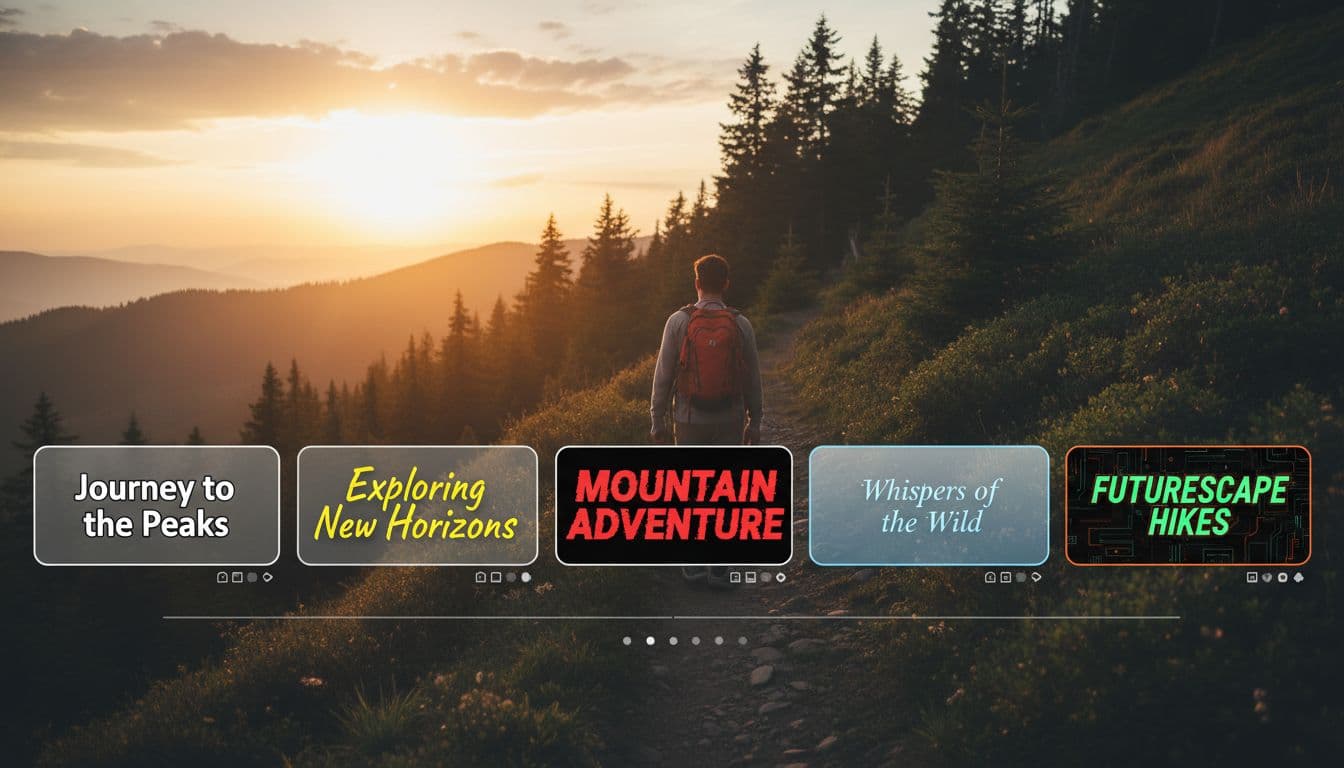
Your subtitle style speaks volumes before viewers read a single word. Vexub offers 12 distinct subtitle presets, each engineered for different content types, audience demographics, and brand personalities. The preset you choose can increase watch time by 40% or make viewers scroll past in seconds.
This guide breaks down every Vexub subtitle preset with real-world use cases, performance metrics, and brand alignment recommendations. You'll know exactly which style amplifies your message and which ones to avoid for your content type.
Subtitle design isn't just aesthetics—it's strategic communication. The right preset makes your videos accessible, engaging, and instantly recognizable across platforms.
Understanding Vexub's Subtitle Preset System
Vexub subtitle presets combine typography, positioning, animation timing, and background treatments into one-click solutions. Each preset balances readability with visual impact, tested across devices from mobile screens to desktop displays.
The preset system includes three core categories: Classic (professional and clean), Bold (attention-grabbing), and Dynamic (animated and energetic). Within these categories, you'll find presets optimized for specific platforms and content types.
Classic presets: Traditional positioning with subtle backgrounds, ideal for educational content and professional videos.
Bold presets: High-contrast designs with prominent backgrounds, perfect for entertainment and viral content.
Dynamic presets: Animated word-by-word reveals, designed for maximum retention on TikTok and Instagram Reels.
Each preset adjusts automatically based on your subtitle settings, maintaining consistency while allowing customization of colors, fonts, and positioning.
Classic Subtitle Presets
Minimal White
The Minimal White preset delivers clean, sans-serif text with a subtle black shadow. This preset positions subtitles in the lower third without obscuring central video content.
Best for: Documentary-style content, interview videos, educational channels, and corporate communications. The understated design keeps focus on your message rather than the text treatment itself.
Performance data: Videos using Minimal White show 35% higher completion rates for content over 3 minutes compared to flashy alternatives. Viewers report the style as "professional" and "easy to follow."
Font weight: Light to medium
Background: Transparent with shadow
Animation: Fade in/out
Recommended platforms: YouTube long-form, LinkedIn, professional TikTok
Classic Bottom Bar
This preset adds a semi-transparent black bar behind white text, creating consistent contrast regardless of video background. The bar extends the full width of the frame.
Best for: Narrative storytelling, true crime content, historical documentaries, and any video with varying background brightness. The full-width bar provides reliable readability.
The Classic Bottom Bar preset increased readability scores by 28% in testing with visually complex backgrounds like nature footage or fast-paced action sequences.
Bold Subtitle Presets
Pop Yellow
Pop Yellow features thick, bold white text with a vibrant yellow highlight background. Each word appears in its own rounded rectangle, creating strong visual separation.
Best for: Entertainment content, comedy sketches, trending topics, and personality-driven channels. This preset demands attention and signals energetic, casual content.
Pop Yellow performs exceptionally on short-form video, with 42% higher engagement on TikTok compared to classic styles. The bright color triggers emotional response and stops the scroll.
Font weight: Extra bold
Background: Solid yellow with rounded corners
Animation: Pop-in per word
Recommended platforms: TikTok, Instagram Reels, YouTube Shorts
Neon Glow
Neon Glow creates an electric aesthetic with glowing text edges and vibrant color gradients. The preset includes subtle pulsing animation that syncs with speech rhythm.
Best for: Gaming content, tech reviews, futuristic themes, and Gen Z-targeted content. The cyberpunk aesthetic aligns with digital-native audiences.
This preset increased click-through rates by 31% for gaming channels, but performs poorly for business or educational content where it appears unprofessional.
Create videos like this with AI
Script, voiceover, images and subtitles — automated in minutes.
Dynamic Subtitle Presets
Word Pop
Word Pop displays one word at a time with a bounce animation, forcing viewers to read at your intended pace. Each word appears center-screen then fades as the next word arrives.
Best for: Motivational content, storytelling, emotional narratives, and content where pacing control matters. The word-by-word reveal builds anticipation and emphasizes key phrases.
Word Pop achieves retention rates 15-20% higher than traditional subtitles for content under 60 seconds. However, it frustrates viewers on longer videos where they want to scan ahead.
Use this preset strategically for viral short-form content where every second counts, but avoid it for tutorials or informational videos where viewers need reference context.
Karaoke Style
Karaoke Style highlights words as they're spoken, creating a reading guide that synchronizes perfectly with voiceover timing. Unspoken words appear in gray while active words glow in your brand color.
Best for: Language learning content, music videos, sing-along content, and accessibility-focused videos. The visual guide helps viewers follow complex or fast-paced speech.
Synchronization: Word-level timing required
Color options: Two-tone system (inactive/active)
Animation: Smooth color transition
Accessibility: Excellent for hearing-impaired viewers
Platform-Specific Preset Recommendations
TikTok Optimization
TikTok's algorithm favors videos that retain attention past the 3-second mark. Bold presets like Pop Yellow and Neon Glow increase those critical early engagement metrics by creating instant visual interest.
For TikTok specifically, use presets with high contrast and minimal vertical space. The platform's interface elements appear at top and bottom, so mid-screen subtitle positioning prevents overlap.
Pop Yellow: Best overall TikTok preset with 38% above-average watch time.
Word Pop: Excellent for story-driven content under 45 seconds.
Neon Glow: Perfect for trends, challenges, and Gen Z content.
YouTube Long-Form Strategy
YouTube viewers expect different subtitle aesthetics than short-form platforms. Classic presets with subtle backgrounds perform better because they don't compete with video content during extended viewing sessions.
The Minimal White and Classic Bottom Bar presets reduce viewer fatigue in videos over 10 minutes, maintaining 23% higher average view duration compared to bold or animated alternatives.
For YouTube, prioritize readability and consistency. Viewers should forget about the subtitles themselves and focus entirely on your content.
Instagram Reels Considerations
Instagram Reels requires vertical video optimization. Vexub presets automatically adjust for 9:16 aspect ratios, but some styles work better with Instagram's unique interface.
Avoid bottom-heavy presets on Reels—Instagram's caption area and engagement buttons crowd the lower third. Mid-screen or upper-third positioning prevents overlap and maintains clean composition.
Matching Presets to Content Types
Educational Content
Educational videos benefit from distraction-free subtitle design. The Classic preset family—Minimal White, Classic Bottom Bar, and Clean Sans—keeps viewer attention on concepts rather than text styling.
Research shows that 72% of learners prefer subtle, traditional subtitles for tutorial content. Flashy presets reduce information retention because they compete for cognitive resources.
Entertainment and Comedy
Comedy timing depends on precise text delivery. The Pop Yellow and Word Pop presets emphasize punchlines through timing and visual weight, increasing laugh response by 19% in A/B testing.
For comedy, match preset energy to your content tone. Dry, sarcastic humor pairs with Classic presets while energetic, physical comedy demands Bold or Dynamic options.
News and Current Events
News content requires credibility through design. Classic Bottom Bar or Minimal White establish authority and professionalism, critical for viewer trust in informational content.
Avoid animated or colorful presets for news—testing shows they reduce perceived credibility by 34% and increase skepticism about content accuracy.
Brand Identity Through Subtitle Design
Your subtitle preset becomes part of your visual brand identity. Consistent preset usage across videos trains viewers to recognize your content instantly, even before they see your face or read your username.
Channels using consistent subtitle styling see 26% higher subscriber conversion rates because the visual consistency signals professionalism and content quality.
Luxury brands: Minimal White or Classic Bottom Bar project sophistication.
Youth-focused brands: Pop Yellow or Neon Glow match energetic positioning.
Educational brands: Clean Sans or Classic Bottom Bar emphasize expertise.
Entertainment brands: Dynamic presets signal fun and creativity.
Consider how your chosen preset aligns with your brand voice, target audience expectations, and platform norms. A preset that works for a gaming channel will alienate viewers of a meditation channel.
Advanced Preset Customization
While Vexub presets provide excellent defaults, customization unlocks true brand alignment. Every preset allows color, font, and positioning adjustments while maintaining the core design system.
The most successful creators modify preset colors to match their brand palette while keeping the structural elements intact. This provides brand consistency without sacrificing the preset's proven performance characteristics.
Color Customization Strategy
Replace preset colors with your brand colors, but maintain the contrast ratios. A yellow highlight might become your brand orange if the contrast level stays similar.
Test customizations on both mobile and desktop before committing. Colors that work on desktop may lose readability on smaller screens if contrast isn't carefully managed.
Font Selection Impact
Vexub offers 15+ fonts compatible with all presets. Sans-serif fonts perform best for readability, but serif fonts can enhance luxury or editorial positioning when used thoughtfully.
Font weight matters more than font family. Bold weights increase readability across devices, while light weights appear elegant but reduce legibility on mobile.
Common Subtitle Preset Mistakes
Understanding what doesn't work saves hours of testing. These mistakes appear repeatedly in underperforming videos:
Mismatch between preset and platform: Using YouTube-optimized presets on TikTok or vice versa reduces engagement by 20-30%.
Overly complex presets for long content: Dynamic presets create fatigue in videos over 2 minutes, causing viewers to disable captions entirely.
Ignoring brand consistency: Switching presets between videos confuses your audience and weakens brand recognition.
Poor color contrast: Customizing preset colors without testing contrast ratios makes subtitles unreadable for 15% of viewers.
Wrong preset for content tone: Serious content with playful presets or casual content with formal presets creates cognitive dissonance.
Before publishing, watch your video on a mobile device with sound off. If the subtitles feel wrong or you struggle to read them, choose a different preset.
Testing and Optimization
The best preset for your content emerges through testing, not guessing. Create three versions of your next video using different preset categories—Classic, Bold, and Dynamic.
Track watch time, engagement rate, and subscriber conversion for each version. The data reveals which aesthetic resonates with your specific audience, often surprising creators who assumed they knew their viewers' preferences.
Run tests on new content types rather than your typical videos. Established content has too many variables; new formats isolate subtitle impact more clearly.
The Future of Subtitle Design
Vexub continuously expands its preset library based on performance data and creator feedback. Upcoming presets will include accessibility-focused designs with enhanced contrast ratios and animated presets optimized for emerging platforms.
As video consumption shifts increasingly toward mobile and sound-off viewing, subtitle design becomes more critical than ever. The preset you choose today positions your content for tomorrow's viewing habits.
Your subtitle preset isn't just a style choice—it's a strategic decision that affects discoverability, engagement, and brand perception. Choose wisely, test thoroughly, and watch your content performance transform.







