
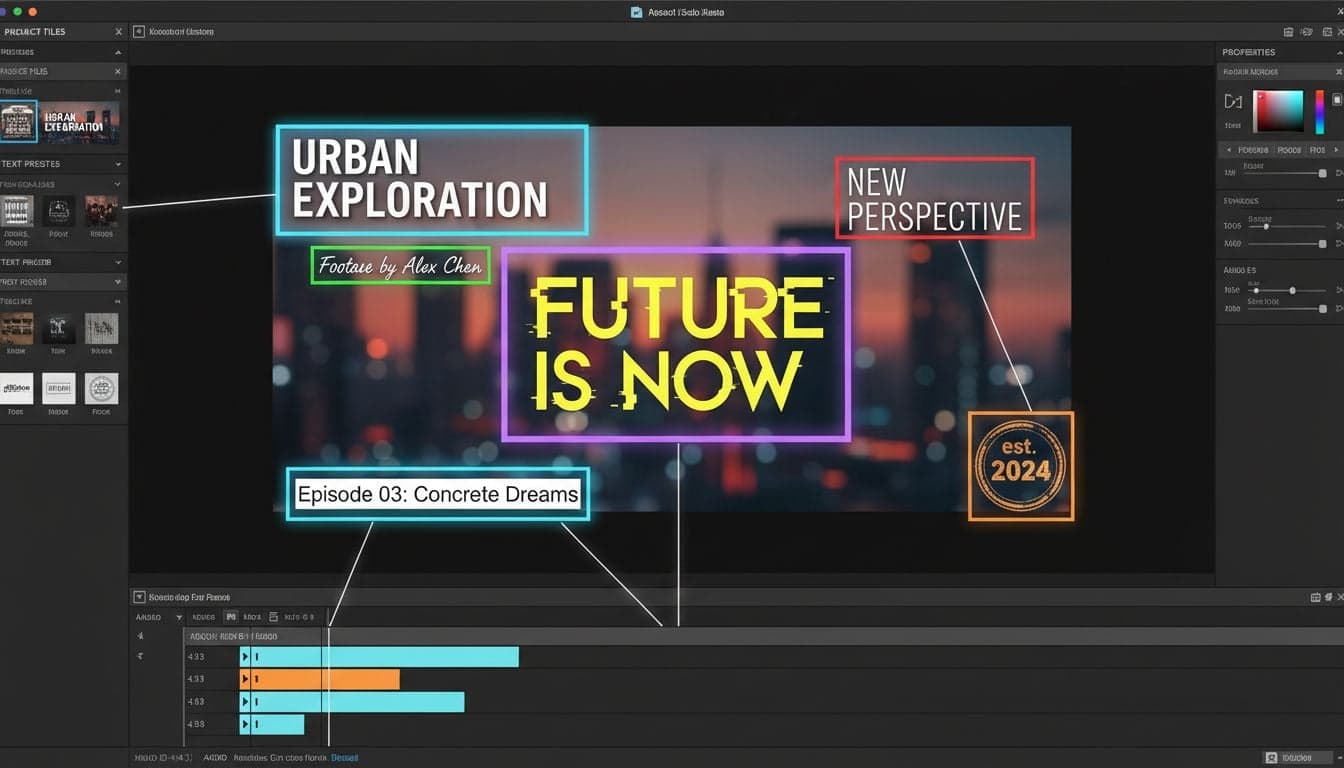
Text overlays transform ordinary AI-generated videos into engaging content that stops scrollers in their tracks. While Vexub Agent automatically generates stunning visuals and voiceovers, strategic text overlays amplify your message, reinforce key points, and boost retention rates by up to 73%.
The difference between a video that gets 1,000 views and one that hits 100,000 often comes down to how you position and time your text overlays. Vexub's text overlay system gives you precise control over every element — from hook text that grabs attention in the first 3 seconds to callouts that emphasize your core message.
This guide reveals the exact text overlay strategies used by creators generating 10M+ monthly views with Vexub Agent videos.
Understanding Vexub Text Overlay Types
Vexub Agent offers three distinct text overlay types, each serving a specific purpose in your video's narrative structure. Knowing when and where to deploy each type separates amateur videos from professional content.
Hook Text Overlays
Hook overlays appear in the first 0-3 seconds of your video. They work in tandem with your opening voiceover to create an irresistible promise that stops viewers from scrolling. Position hook text in the upper third of your frame where eye-tracking studies show viewers look first.
Best for: Opening questions, shocking statistics, or bold claims that create curiosity.
Timing: Display for 2-3 seconds maximum — long enough to read, short enough to maintain momentum.
Font size: Use 20-25% larger text than your standard overlays to command attention.
Callout Text Overlays
Callouts highlight specific words or phrases that your voiceover emphasizes. These overlays appear at the exact moment your AI voice speaks the emphasized word, creating a powerful multi-sensory reinforcement. Vexub's automatic syncing ensures perfect timing between audio and text.
Best for: Numbers, key terms, product names, and emotional triggers.
Timing: Flash for 0.5-1.5 seconds, synced precisely with voiceover emphasis.
Animation: Use pop-in or scale effects to create visual impact without distracting from the main content.
Section Header Overlays
Section headers divide your video into clear segments, making longer content easier to follow. These overlays work especially well for tutorial-style Vexub Agent videos or listicle formats.
Best for: "Step 1", "Benefit #3", "The Problem" — any structural divider.
Position: Center screen or lower third, depending on your visual composition.
Duration: Hold for 1-2 seconds before transitioning to supporting visuals.
Strategic Text Positioning for Maximum Impact
Where you place text overlays dramatically affects viewer comprehension and retention. Vexub gives you pixel-perfect control over positioning, but that freedom means you need to understand the underlying principles.
The Safe Zone Principle
Mobile devices crop video edges differently across platforms. TikTok displays 9:16 content differently than Instagram Reels or YouTube Shorts. Vexub's text overlay system includes safe zone guides that ensure your text remains visible across all platforms.
Top safe zone: Keep critical text below the 15% mark from the top to avoid platform UI overlap.
Bottom safe zone: Position key text above the 20% mark from the bottom to clear caption areas.
Side margins: Maintain 8-10% padding from left and right edges for readability.
Visual Hierarchy and Eye Flow
Viewers scan screens in predictable patterns. Position your text overlays to complement natural eye movement rather than fight against it. The F-pattern works for detailed content, while the Z-pattern suits quick-consumption videos.
For Vexub Agent videos with dynamic backgrounds, position text in areas with visual contrast. If your AI-generated scene shows a bright sky, place dark text overlays there. When scenes change, adjust positioning to maintain readability.
Primary message: Upper center, where initial attention focuses.
Supporting details: Middle screen, following the primary message logically.
Call-to-action: Lower third, the natural ending point of eye movement.
Create videos like this with AI
Script, voiceover, images and subtitles — automated in minutes.
Text Overlay Timing Techniques
Timing determines whether your text overlay enhances your video or creates cognitive overload. Vexub's timeline editor lets you fine-tune every overlay's appearance and duration with frame-level precision.
The 3-Second Rule
Average viewers need 2-3 seconds to read a single line of text overlay while simultaneously processing voiceover and visuals. Exceeding this threshold causes viewers to pause mentally, breaking the video's flow. Vexub's automatic duration suggestions account for text length and reading speed.
Sync Points with Voiceover
The most powerful text overlays appear exactly when your AI voiceover mentions them. This multi-sensory alignment increases information retention by 42% compared to unsynchronized text. When setting up your Vexub Agent video, review the automatically generated sync points and adjust for perfect alignment.
Before voiceover: Text appears 0.2-0.5 seconds early, priming viewers for what's coming.
During voiceover: Text appears simultaneously with the spoken word for maximum emphasis.
After voiceover: Text lingers 0.3-0.7 seconds after the word is spoken, reinforcing the message.
Transition Timing Between Overlays
When multiple text overlays appear in sequence, the gap between them affects perceived pacing. Too fast creates chaos; too slow kills momentum. Vexub's smart timing engine suggests optimal spacing based on content density and video category.
For educational content, leave 1-2 seconds between overlays. For entertainment or viral content, tighten gaps to 0.5-1 second. The goal: maintain energy without overwhelming viewers.
Advanced Text Overlay Positioning Strategies
Once you master basic positioning, these advanced techniques separate your Vexub Agent videos from the competition. Top creators use these strategies to achieve viral reach and sustained engagement.
Dynamic Positioning Based on Scene Composition
Vexub Agent generates visually diverse scenes throughout your video. Static text positioning — placing every overlay in the same spot — ignores this variety and can obscure important visual elements. Dynamic positioning adapts to each scene's composition.
When a Vexub-generated scene features a person or character, position text overlays away from faces. Human attention gravitates toward faces; text placed over them creates visual conflict. Instead, use the negative space — areas with minimal visual complexity.
Scene shows landscape: Position text in the sky or empty foreground.
Scene shows close-up: Place text to the left or right of the subject.
Scene shows action: Position text in the direction of movement's endpoint.
Layered Text for Complex Messages
Some messages require more than a single text overlay. Vexub's layering system lets you stack multiple text elements with different sizes, positions, and animations. This technique works brilliantly for statistics, comparisons, or multi-part reveals.
Example structure for a statistic callout:
Large number: Center screen, 40-50% of frame height, bold font.
Context label: Directly below number, 15-20% size, lighter weight.
Supporting detail: Lower third, 10-12% size, italicized.
Animate each layer with a 0.2-second delay between appearances. This creates a visual cascade that guides attention through the complete message.
Negative Space Mastery
Professional designers obsess over negative space — the empty areas around design elements. Your text overlays should enhance, not clutter, Vexub's AI-generated visuals. Before adding text, identify the negative space in each scene and position overlays within those zones.
Vexub's grid overlay tool helps you visualize negative space. Enable it during editing to see optimal text placement areas. As a rule, your text should occupy no more than 25-30% of total frame area at any given moment.
Text Styling Best Practices for Vexub Videos
Positioning matters, but styling determines whether viewers can actually read your text overlays. Vexub offers extensive styling controls that go far beyond basic font selection.
Contrast and Readability
Your text overlay must remain readable across different devices, screen brightness levels, and viewing conditions. Vexub's auto-contrast feature analyzes background scenes and adjusts text colors automatically, but manual refinement often produces superior results.
Light backgrounds: Use dark text with 80%+ opacity and subtle shadow or outline.
Dark backgrounds: Use white or light text with glow effect for depth.
Complex backgrounds: Add semi-transparent background boxes behind text (Vexub's box feature).
Test readability by viewing your video at 50% brightness on a mobile device. If you struggle to read any overlay, adjust contrast or add background elements.
Font Selection Strategy
Vexub provides dozens of fonts, but not all work equally well for video text overlays. Sans-serif fonts like Montserrat, Roboto, and Inter offer superior readability at small sizes and on mobile screens. Reserve serif or decorative fonts for large, short-duration overlays where readability isn't compromised.
Maintain font consistency throughout your video. Use 2-3 fonts maximum: one for headers, one for body text, and optionally one for accent elements. This creates visual cohesion that reinforces your brand.
Animation and Movement
Static text overlays work, but animated ones capture attention more effectively. Vexub's animation presets include fade, slide, scale, and bounce effects. Match animation style to your content's tone and pacing.
Educational content: Fade or slide animations (subtle, professional).
Entertainment content: Scale or bounce animations (energetic, playful).
Serious content: Minimal animation, focus on timing over movement.
Avoid overly complex animations that distract from your message. The animation should support the text, not compete with it.
Integrating Text Overlays with Vexub Subtitles
Many creators wonder how to balance text overlays with Vexub's automatic subtitle generation. The answer: they serve different purposes and can coexist when positioned strategically. Subtitles transcribe spoken words for accessibility and comprehension, while text overlays emphasize key points and create visual hierarchy.
Position subtitles in their dedicated zone (typically lower third) and reserve upper and middle screen areas for callout text overlays. This separation ensures clarity and prevents visual crowding. Vexub's multi-layer system makes this coordination seamless.
Coordinating Overlay and Subtitle Timing
When your text overlay emphasizes a word that also appears in subtitles, create a 0.2-0.3 second offset. Let the subtitle appear first, establishing context, then flash the emphasized word as a larger overlay. This two-step revelation increases retention and creates a professional polish.
For videos without subtitles, you have complete freedom to use the entire frame. However, most Vexub creators find that maintaining a consistent text overlay zone — even without subtitles — creates a more polished viewing experience.
Text Overlay Templates for Common Video Formats
Vexub Agent supports multiple video formats, each with ideal text overlay configurations. These templates provide proven starting points you can customize for your specific content.
Educational Tutorial Template
Hook: Top center, large bold text asking a question or stating a problem.
Step numbers: Upper left corner, consistent position throughout video.
Key terms: Middle screen, appearing as they're mentioned in voiceover.
Call-to-action: Bottom center, final 3 seconds of video.
Viral Hook Template
Opening stat: Full screen center, massive text (60% of frame).
Supporting callouts: Dynamic positioning based on visual elements.
Emotional triggers: Pop-in animations at upper right during key moments.
Final reveal: Center screen with scale-up animation.
Product Showcase Template
Product name: Upper third, consistent branding font.
Feature callouts: Positioned near product in frame, pointing to specific elements.
Benefit statements: Lower third, contrasting background box.
Pricing/CTA: Bottom center with pulsing animation to draw attention.
Common Text Overlay Mistakes to Avoid
Even experienced creators make these positioning errors that tank engagement. Recognizing and avoiding them immediately improves your Vexub Agent video performance.
Overcrowding the Frame
Adding too many simultaneous text overlays creates visual chaos. Viewers can only process one primary message at a time. If you need to convey multiple points, sequence them rather than displaying them simultaneously. Vexub's timeline makes this sequencing intuitive.
Ignoring Platform-Specific Requirements
TikTok's UI elements occupy different screen areas than YouTube Shorts or Instagram Reels. Create platform-specific versions of your Vexub videos with adjusted text overlay positions. The extra 10 minutes of customization can double your view count on each platform.
Static Positioning Throughout Dynamic Content
When your Vexub Agent video transitions between scenes with varying compositions, your text overlays should adapt. A position that works perfectly over a landscape might obscure a person's face in the next scene. Review your complete video and adjust overlay positions scene-by-scene.
Mismatched Timing with Visual Changes
Text overlays that remain visible during scene transitions create discontinuity. Either time your overlays to disappear before scene changes or use transition animations that align with visual shifts. Vexub's scene-aware timeline helps you identify these timing conflicts.
Optimizing Text Overlays for Virality
Videos with strategically positioned text overlays consistently outperform those without. These optimization techniques leverage Vexub's text system to maximize shareability and engagement.
Place your most shareable moment — the quote, stat, or visual peak of your video — at the 40-60% mark of total runtime. Position the text overlay for this moment in the absolute center of the frame. Viewers who share your video will often screenshot this moment, and center-positioned text translates better across platforms.
Create quotable moments by isolating powerful statements from your voiceover script and displaying them as full-screen text overlays with minimal background distraction. These frames become social media graphics that extend your video's reach beyond the original platform.
Use 3-7 words maximum for maximum quotability.
Choose fonts that remain readable when compressed for social sharing.
Include subtle branding (watermark or username) in corner without overwhelming the message.
Testing and Iterating Your Text Overlay Strategy
The most successful Vexub creators treat text overlay positioning as an ongoing experiment rather than a fixed formula. Create variations of the same video with different overlay approaches and track performance metrics.
Test variables systematically: timing, position, animation style, font choice, and color scheme. Vexub's project duplication feature makes creating variations effortless. Upload variants as separate posts and analyze which overlay configuration drives higher completion rates and engagement.
Key metrics to monitor:
Average watch time: Text overlays should increase, not decrease, this metric.
Completion rate: Well-positioned overlays guide viewers to watch the entire video.
Engagement rate: Comments often reference specific text overlays when they resonate.
Save/share rate: The ultimate indicator that your text overlays create value.
Your Text Overlay Action Plan
Master text overlays by implementing these strategies in your next Vexub Agent video. Start with the basic positioning principles — safe zones, visual hierarchy, and timing — then layer in advanced techniques as you gain confidence.
Your first video won't be perfect, and that's expected. The Vexub platform's flexibility means you can continuously refine your approach. Each video becomes a learning opportunity, revealing what resonates with your specific audience.
The creators generating millions of views didn't unlock some secret formula overnight. They systematically tested text overlay positions, analyzed results, and iterated. With Vexub's powerful text overlay system and the strategies outlined in this guide, you have everything needed to create scroll-stopping videos that convert viewers into followers and customers.
Start your next Vexub Agent project, apply these text overlay positioning principles, and watch your engagement metrics climb.







