
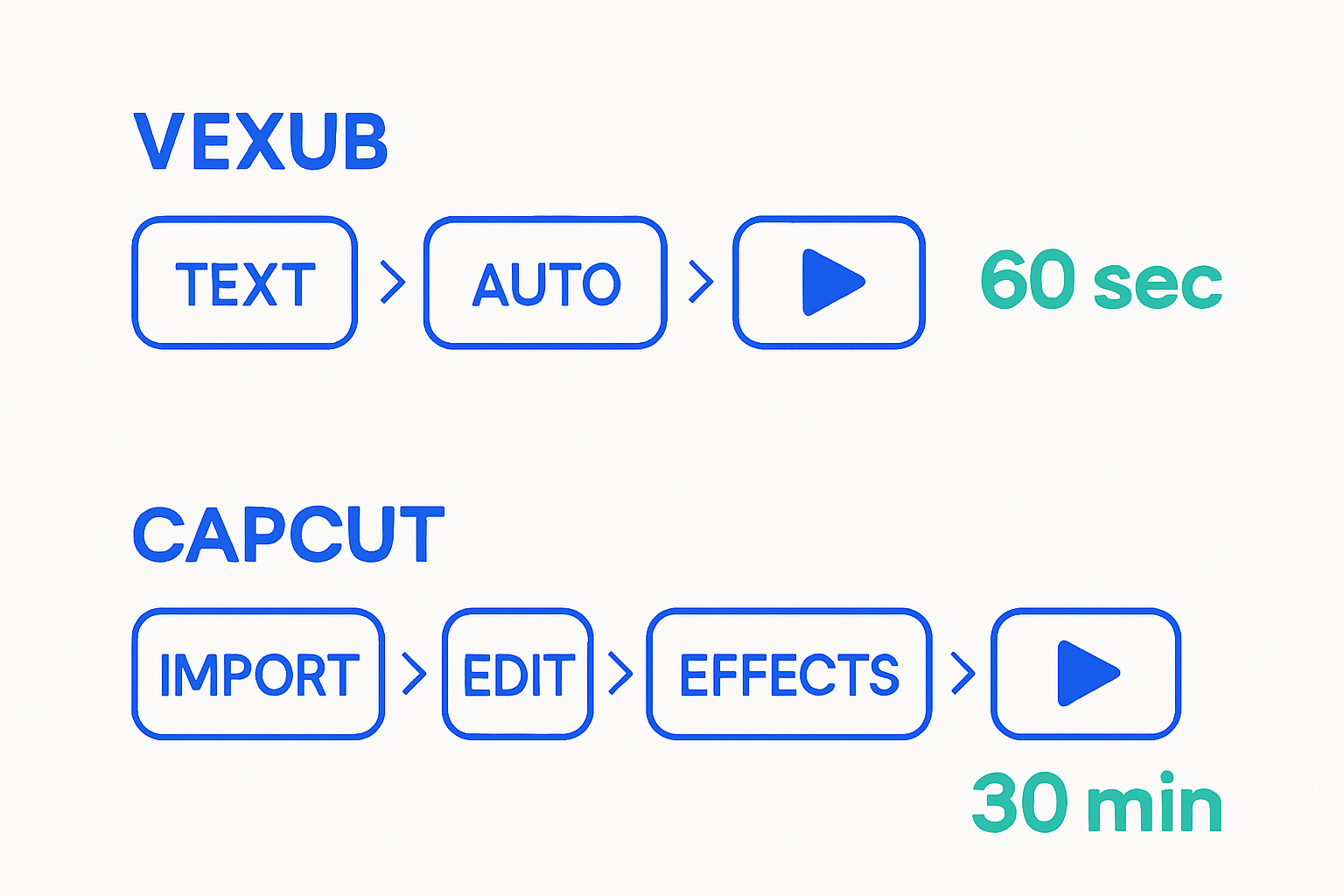
CapCut is the best free manual editor on the market in 2026. Multi-track timeline, keyframe animation, chroma key, motion tracking on Pro — all of it inside a $7.99 to $9.99 a month subscription, with most features available for free. But CapCut cannot generate a complete narrated video from a script. If you want "prompt in, video out" with AI voice, scenes and subtitles, you need a different tool. That tool is Vexub.
This is the rare comparison where the honest answer is: most pro creators use both. Vexub for generation, CapCut for the last-mile manual edit. Here's why.
Vexub vs CapCut at a glance
| Feature | Vexub | CapCut |
|---|---|---|
| Primary job | AI video generation | Manual editing |
| Generate video from text prompt | Included | Not available |
| MP3 or MP4 to vertical (auto) | Included | Manual workflow |
| YouTube clipping (semantic) | Included | Not available |
| VEO 3, Kling, Grok AI video | Included | Limited AI effects |
| SMS Video format | Included | Manual via templates |
| 13 animated subtitle presets | Included on every paid plan | Some captions templates |
| Multi-track timeline editor | Editor included | Industry-leading timeline |
| Free tier capabilities | 15-sec previews | Near-complete editor |
| Max video length | Up to several minutes | 15-minute cap |
| Pricing model | €30 / 30 finished videos | $7.99-9.99 Pro flat |
| Cost per finished video | €1 | N/A (unlimited editing) |
Where CapCut falls short for creators in 2026
CapCut is excellent at one job — manual editing — and free for most of it. It is not a video generator, and three real limits keep it from filling that role.
No prompt-to-video. CapCut Pro does not generate complete narrated videos from a script. If you input a script and want a ready-to-publish video with voiceover, stock footage and captions, that workflow does not exist in CapCut.
15-minute video cap. CapCut enforces a 15-minute maximum video length, eliminating it entirely for YouTube long-form content, documentaries, or any extended production.
AI credits on top of subscription. Pro AI Auto-Edit, AI Effects and AI captions all share a modest monthly credit pool. CapCut sells extra packs at $4.99-$19.99 — many creators end up paying $15-$25/month total.
No semantic clipping or speaker tracking. You can cut on a timeline, but CapCut does not analyze a YouTube transcript to find high-engagement moments or reframe vertically with Active Speaker Detection.
What Vexub does differently
Vexub is built for the part CapCut can't do: turning a prompt, an audio file or a YouTube URL into a complete video without manual timeline work.
Six creation modes in one tool
Text-to-Video. Prompt to vertical or horizontal video with AI voice and animated subtitles.
MP3-to-Video. Upload a voiceover or podcast extract, get a vertical short.
MP4-to-Video. Re-edit horizontal footage into vertical with B-roll — automatic.
SMS Video. Recreate viral SMS conversation videos.
AI Video (VEO 3, Kling, Grok). Cinematic AI shots from a prompt.
YouTube Clipping. Semantic clipping with Active Speaker Detection and 13 subtitle presets.
Predictable price per finished video
Vexub plans are priced in finished videos, not unlimited editing time. €30 entry plan = 30 finished videos = €1 per video, any mode. Yearly billing applies a 60% discount.
The honest stack: Vexub + CapCut
Many pro creators use both. The flow:
1. Generate a video in Vexub from a prompt, MP3 or YouTube URL.
2. Export the result.
3. Open it in CapCut for last-mile edits — color grade, motion effects, custom transitions.
4. Publish.
Vexub does the heavy generation work CapCut can't. CapCut does the manual polish Vexub doesn't focus on. Total monthly bill: €30 (Vexub) + $7.99 (CapCut Pro) = roughly €37 for the full stack.
Pricing breakdown — real numbers
| Plan | Vexub | CapCut |
|---|---|---|
| Free tier | 15-sec preview, no card | Near-complete editor, free |
| Entry paid | €30 / 30 finished videos | $7.99 Pro / unlimited editing |
| Mid plan | €55 Plus | $24.99 Team |
| Top plan | €120 Pro / Enterprise | Higher tiers |
| AI credits inside plan | All modes included | Modest pool, $4.99-19.99 packs |
| Max video length | Several minutes | 15 minutes |
| Generate video from script | Yes | No |
| Yearly discount | Up to -60% | Around -30% |
When to pick CapCut only
CapCut alone is enough if you only edit existing footage and never generate.
You film or record everything yourself and just need to edit.
Your videos stay under 15 minutes.
You don't need AI voiceover, text-to-video or semantic clipping.
When to pick Vexub only
Vexub alone is enough if you only generate and never need manual polish.
You generate everything from prompts, MP3 or YouTube clips.
The 13 subtitle presets, B-roll catalog and editor inside Vexub are enough.
You want €1 per finished video, predictable monthly bill.
When to use both
Most growth-stage creators combine the two.
You generate with Vexub then polish with CapCut for cinematic edits.
You need AI generation for volume AND manual finishing for branded content.
Total bill stays under €40/month — cheaper than a single all-in-one Pro plan elsewhere.
Bottom line
CapCut is the best free editor on the planet. Vexub is the AI-native generator that gives CapCut something to edit. They're not really competitors — they answer different questions. Use Vexub for "prompt in, video out". Use CapCut for "video in, polished video out". Or use both.
Further reading
Create videos like this with AI
Script, voiceover, images and subtitles — automated in minutes.







