
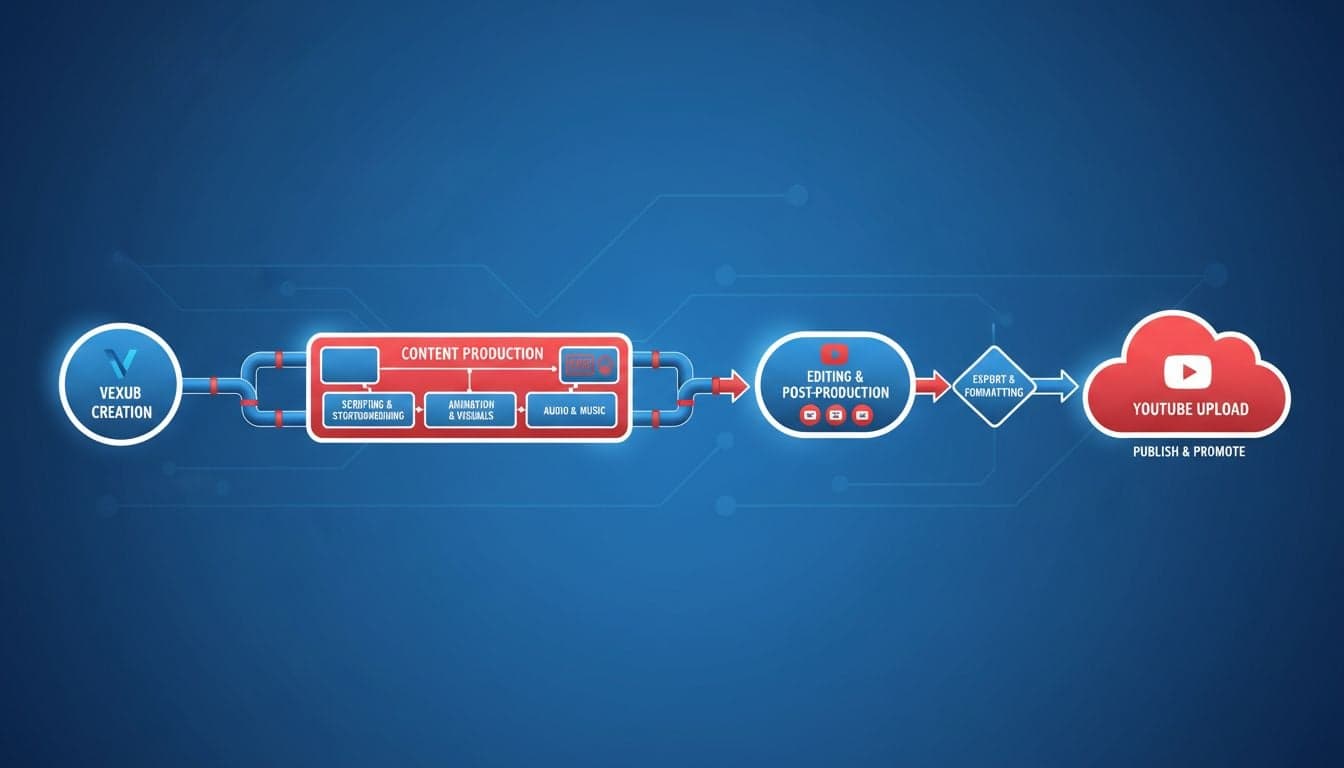
Publishing videos to YouTube requires more than just hitting the upload button. The journey from initial concept to a fully optimized, published video involves strategic planning, proper formatting, and understanding how Vexub's AI capabilities integrate with YouTube's platform requirements.
This complete workflow guide walks you through every step of the process, from creating your first video in Vexub to publishing it on YouTube with maximum optimization. You'll learn the exact sequence that successful creators follow to build channels that grow consistently.
The workflow covers technical setup, creative decisions, export settings, upload procedures, and post-publish optimization—everything you need to transform your Vexub projects into YouTube success stories.
Phase 1: Pre-Production Planning
Before you create anything in Vexub, establish your YouTube strategy. The decisions you make here determine how smoothly the rest of the workflow proceeds.
Define Your Video Format
YouTube supports multiple video formats, and your choice impacts everything from production to discovery:
Long-form videos (8+ minutes): Best for detailed tutorials, storytelling, and content that benefits from ad revenue. These videos rank well for search queries and build deeper audience connections.
Short-form videos (under 60 seconds): YouTube Shorts compete directly with TikTok and Instagram Reels. They prioritize viewer retention and rapid engagement over traditional SEO factors.
Mid-length content (3-8 minutes): Ideal for concise tutorials, listicles, and educational content that needs more than a short allows but doesn't require extended runtime.
Your format choice determines which Vexub features you'll emphasize. Shorts demand punchy visuals and text overlays, while long-form content benefits from varied pacing and scene transitions.
Research Keywords and Topics
YouTube is the world's second-largest search engine. Start with keyword research:
Open YouTube and type your topic into the search bar. Note the autocomplete suggestions—these represent real user queries.
Analyze the top 5 videos for your target keyword. What thumbnails do they use? What's their average length? Check their view counts and engagement ratios.
Use YouTube's search filters to find recently published videos. This reveals trending angles and gaps in existing content.
Document 3-5 primary keywords and 10-15 related phrases you'll incorporate into your script and metadata.
This research phase informs your Vexub script and ensures you're creating content people actually search for. As covered in our video SEO guide, keyword integration starts during content creation, not after.
Phase 2: Creating Your Video in Vexub
With your strategy defined, move into Vexub's creation environment. The platform's AI capabilities streamline production, but strategic choices still matter.
Script Development
Vexub offers multiple input methods for generating videos:
Text-to-video generation: Paste your complete script and let Vexub's AI handle scene segmentation, visual selection, and timing. This works best when your script includes clear topic breaks.
Manual scene building: Create each scene individually for precise control over visuals, timing, and transitions. Recommended for videos requiring specific visual sequences.
Hybrid approach: Generate an initial video from text, then refine individual scenes. This combines speed with customization.
For YouTube optimization, structure your script with these elements:
Hook (first 5-8 seconds): Immediately state the value proposition. YouTube's algorithm heavily weights early retention.
Context (next 15-20 seconds): Expand on why viewers should care. Include your primary keyword naturally.
Main content (bulk of video): Deliver on your promise with clear segments. Each major point should transition smoothly.
Call-to-action (final 10-15 seconds): Direct viewers to subscribe, watch related videos, or visit external links.
Visual Selection and Customization
Vexub's AI suggests visuals based on your script, but refinement improves viewer retention:
Maintain visual consistency: Use similar image styles throughout your video. Vexub offers multiple style presets—choose one that aligns with your channel's branding.
Vary shot composition: Alternate between wide shots, close-ups, and medium frames to maintain visual interest. Monotonous framing causes viewers to click away.
Leverage motion: Enable subtle animations and transitions. Static images work for some content, but movement generally improves retention on YouTube.
Test custom image styles: If you're building a faceless YouTube channel, create custom image styles that distinguish your content from competitors.
Audio and Voice Configuration
Audio quality significantly impacts perceived professionalism on YouTube:
Select appropriate voice talent from Vexub's library. Match the voice's tone and pace to your content type—educational content benefits from measured delivery, while entertainment content can use more energetic voices.
Adjust speech speed in Vexub's settings. YouTube viewers generally prefer slightly faster than normal speech (1.1-1.2x), but extreme speeds hurt comprehension.
Add background music that complements your content without overwhelming the voiceover. Vexub's music library includes tracks cleared for commercial use on YouTube.
Set appropriate volume levels: voiceover at 100%, background music at 15-25% of voiceover volume for optimal clarity.
Create videos like this with AI
Script, voiceover, images and subtitles — automated in minutes.
Phase 3: Export Settings and File Preparation
YouTube accepts various formats, but specific settings optimize quality and processing speed.
Optimal Export Configuration
Configure these settings in Vexub before exporting:
Resolution: Export at 1080p (1920x1080) for standard content. YouTube supports 4K, but 1080p offers the best balance of quality, file size, and processing time for most creators.
Frame rate: Use 30fps for standard content, 60fps for high-motion content like gaming or sports. Match your export frame rate to your creation frame rate to avoid artifacts.
Aspect ratio: 16:9 for regular videos and horizontal content. 9:16 (vertical) only for YouTube Shorts. Vexub automatically handles aspect ratio based on your project type.
Bitrate: Let Vexub use its default settings. The platform optimizes bitrate based on your resolution and frame rate choices.
YouTube re-encodes all uploads, but starting with high-quality exports ensures the best final result after processing.
File Naming and Organization
Develop a consistent naming convention for your exported files:
Example: YYYY-MM-DD_Channel-Name_Video-Topic_v1.mp4
This structure helps you track versions, maintain organized archives, and quickly identify files when managing multiple projects. Include version numbers (v1, v2, v3) for videos you're iterating on before final upload.
Phase 4: YouTube Upload Process
The upload interface contains numerous fields that impact discoverability and performance. Each element serves specific algorithmic and user-facing purposes.
Essential Metadata Fields
Complete these fields immediately upon upload:
Title (100 character limit): Include your primary keyword within the first 40 characters. Front-load value proposition. Example: 'Vexub Tutorial: Create Professional Videos in 5 Minutes' beats 'How I Used This Tool to Make Videos.'
Description (5,000 character limit): Write 200+ words. Include primary keyword in first 25 words. Add 3-5 related keywords naturally throughout. Include timestamps for long-form content. Link to related videos and external resources in the first paragraph.
Tags (500 character limit): Add 15-20 tags including your primary keyword, variations, and related terms. Use both broad tags ('AI video creation') and specific tags ('Vexub YouTube workflow').
Thumbnail: Upload a custom thumbnail even though Vexub can generate title cards. YouTube's auto-generated thumbnails rarely outperform custom designs. Recommended size: 1280x720 pixels, under 2MB.
Advanced Settings Configuration
Navigate to YouTube's advanced settings tab and configure these options:
Category: Select the most relevant category. 'Howto & Style' for tutorials, 'Education' for informational content, 'Entertainment' for faceless story channels.
Comments and ratings: Enable both unless you have specific reasons not to. Engagement signals positively impact ranking.
Age restriction: Only restrict if absolutely necessary. Age-restricted videos don't appear in recommended feeds or search results for logged-out users.
Video language: Set this to match your Vexub voiceover language. YouTube uses this for recommending your video to appropriate audiences.
Our social media publishing guide covers platform-specific optimization in more detail, including thumbnail strategies and metadata best practices.
Playlist Assignment
Add your video to relevant playlists during upload:
Create series-based playlists for related content ('Vexub Tutorials,' 'AI Video Basics,' etc.).
Build topic-based playlists that combine your videos with complementary content from other creators.
Use playlists to increase session time. When viewers finish one video, YouTube auto-plays the next in the playlist.
Playlists impact suggested video algorithms and give viewers clear pathways through your content library.
Phase 5: Post-Publish Optimization
Publishing isn't the final step. Strategic post-publish actions amplify reach and engagement.
Immediate Post-Upload Tasks (First 24 Hours)
Pin a comment: Write a thoughtful top comment asking a question or providing additional context. Pin it immediately. This encourages viewers to engage in comments.
Add cards and end screens: YouTube allows these after processing completes (usually 15-60 minutes). Add cards at strategic points to promote related videos. Configure end screens to promote your most successful content and encourage subscriptions.
Share strategically: Share to your established social channels, email list, or community platforms. Concentrate sharing in the first 6 hours when YouTube measures initial engagement velocity.
Monitor analytics: Check YouTube Studio's real-time analytics. Watch for average view duration drops—these indicate where viewers lose interest. Note this for future content improvements.
First Week Monitoring
YouTube's algorithm makes initial ranking decisions within the first 48-72 hours, but adjustments continue for days:
Track click-through rate (CTR) in YouTube Analytics. Low CTR (under 4-5% for new channels) indicates thumbnail or title issues. Consider A/B testing different thumbnails using YouTube's built-in feature.
Monitor average view duration (AVD). YouTube prioritizes videos that keep viewers watching. If AVD falls below 40% for long-form content, your intro may be too slow or your content doesn't match viewer expectations.
Respond to every comment in the first week. YouTube's algorithm rewards active community engagement. Detailed responses encourage more comments.
Check traffic sources. If 'Browse features' and 'Suggested videos' represent less than 30% of views after 48 hours, your metadata likely needs refinement.
Ongoing Optimization
Videos continue to gain traction weeks or months after publishing:
Refresh thumbnails: If CTR remains low after two weeks, redesign your thumbnail. YouTube allows thumbnail changes without affecting existing views or ranking.
Update descriptions: Add links to newer related videos. Include updated timestamps if you've learned better formatting. YouTube doesn't penalize description edits.
Create follow-up content: Produce videos that directly reference and link to underperforming videos. Strategic internal linking can revive old content.
Analyze retention graphs: YouTube Studio shows exactly where viewers click away. Use these insights to improve pacing in future Vexub projects.
Common Workflow Pitfalls and Solutions
Even experienced creators encounter these challenges when integrating Vexub with YouTube:
Issue: Video Looks Great in Vexub but Poor After YouTube Processing
Solution: YouTube's compression can degrade quality, especially in dark scenes or rapid motion. Export at the highest resolution Vexub offers for your project type. Avoid overly compressed background music that becomes tinny after YouTube processing. Preview your video using YouTube's private or unlisted setting before making it public.
Issue: Low Click-Through Rates Despite Good Content
Solution: Your thumbnail and title don't create enough curiosity or clearly communicate value. Study thumbnails from top performers in your niche. Use high contrast text, emotional faces (even if AI-generated for faceless content), and clear visual hierarchy. Test multiple thumbnail variations using YouTube's A/B testing feature.
Issue: Videos Get Initial Views Then Stagnate
Solution: This suggests your content doesn't satisfy viewer intent. Review your retention graphs—where do viewers leave? Probably your intro promises something your content doesn't deliver, or your pacing loses viewers before the payoff. Restructure future videos to deliver value earlier. Consider adding chapters to help viewers navigate to their most relevant sections.
Issue: High Retention but Low Total Views
Solution: Your content serves existing viewers well but doesn't appear in search or suggestions. Improve your metadata by researching higher-volume keywords. Create content on trending topics that connect to your niche. Build relationships with other creators through comments and collaborations to tap into new audiences.
Scaling Your Workflow
As your channel grows, efficiency becomes crucial. These strategies help you maintain quality while increasing output:
Template creation: Save your most successful Vexub projects as templates. Reuse visual styles, pacing patterns, and music selections that resonate with your audience.
Batch production: Create multiple videos in Vexub during a single session. Export all at once. Schedule uploads across multiple days to maintain consistent publishing rhythm.
Metadata templates: Develop description templates with your standard links, calls-to-action, and channel information. Customize the unique portions for each video but maintain consistent structure.
Analytics tracking: Build a spreadsheet tracking key metrics for each video: CTR, AVD, total views at 7 days, traffic sources. Identify patterns in your highest performers and replicate successful elements.
Successful faceless YouTube channels, as discussed in our faceless channel guide, often rely on systematic workflows that minimize decision fatigue while maximizing creative impact.
Integration With Broader Content Strategy
YouTube exists within a larger content ecosystem. Your Vexub-to-YouTube workflow should connect to other platforms and content types:
Repurpose successful YouTube videos as Instagram Reels or TikToks by extracting the most engaging segments using Vexub's editing tools.
Create YouTube Shorts from long-form video highlights. Shorts drive discovery and funnel viewers to your main content.
Reference your YouTube content in blog posts, newsletters, or social media updates. Each platform amplifies the others.
Use YouTube analytics to inform your Vexub content planning. Double down on topics that perform well, experiment with new angles on underperforming topics.
The workflow from Vexub to YouTube isn't linear—it's cyclical. Each video's performance data informs your next creation, creating a continuous improvement loop that builds audience and authority over time.
Mastering the Complete Workflow
Success on YouTube requires more than technical competence—it demands strategic thinking at every stage. The workflow from Vexub creation to YouTube optimization integrates creative decisions, platform requirements, and audience psychology.
Start by implementing this workflow for a single video. Document your process, noting which steps require the most time or create friction. Refine your approach with each subsequent video, building efficiency without sacrificing quality.
The creators who build sustainable YouTube channels treat video publishing as a system, not a series of isolated tasks. Master this Vexub-to-YouTube workflow, and you'll have a repeatable process that transforms AI-generated content into genuine audience connections and channel growth.







