
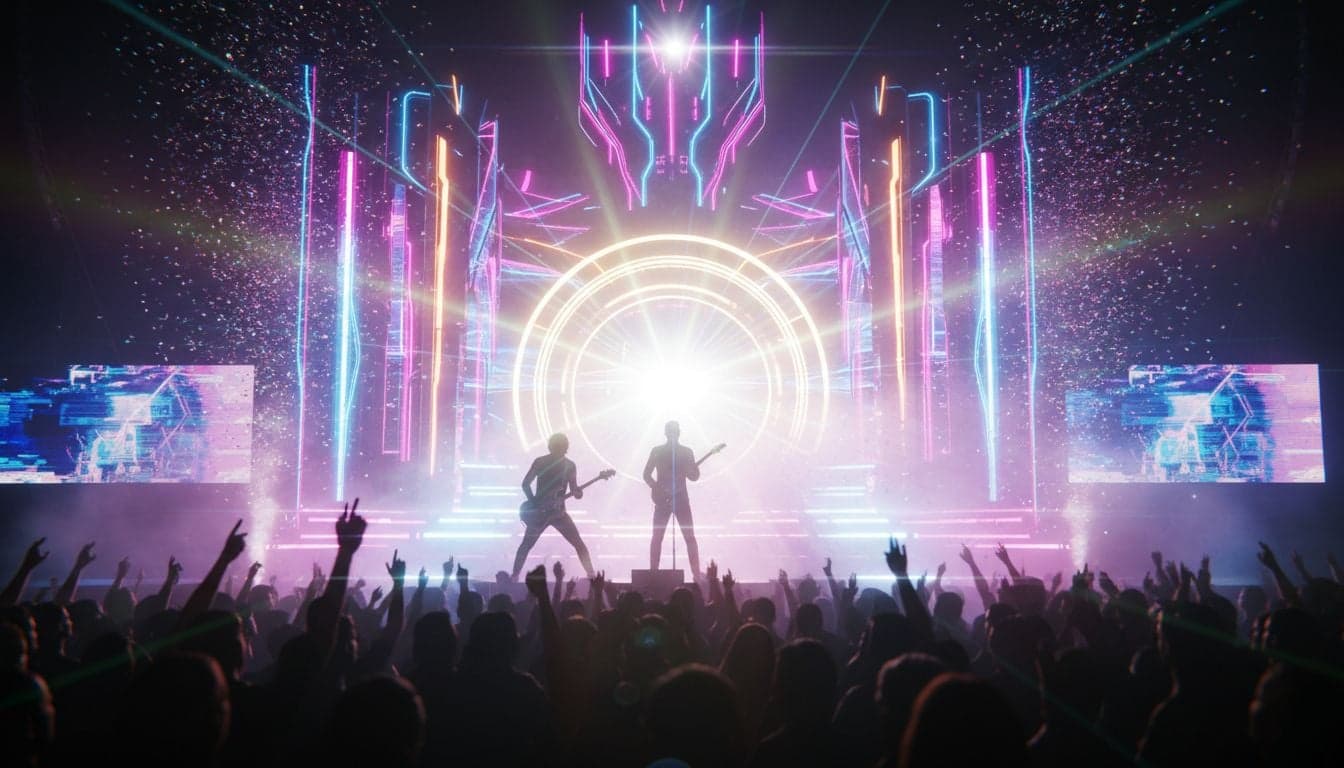
Music video production has traditionally required expensive equipment, professional crews, and weeks of post-production work. AI music video generators have collapsed this timeline to minutes, enabling anyone to create visually stunning content that matches their audio track perfectly.
The technology behind AI music video creation combines image generation, video synthesis, and audio-reactive animation to produce professional results. Musicians, content creators, and marketers are using these tools to generate thousands of views without hiring videographers or learning complex editing software.
This guide walks through the complete process of creating music videos with AI, from selecting the right tools to optimizing your final output for maximum engagement.
Understanding AI Music Video Technology
AI music video generators use multiple neural networks working together. Text-to-image models create visual frames based on your lyrics or scene descriptions. Video synthesis models transform these frames into smooth motion. Audio analysis algorithms sync visual changes to beats, tempo, and frequency patterns in your music.
Modern AI music video tools operate in three primary modes:
Text-to-video generation: Describe scenes in text prompts, and the AI generates matching video footage that syncs with your audio timeline.
Image-to-video animation: Upload reference images or AI-generated stills, then animate them with motion that responds to your music's rhythm and energy.
Style transfer and effects: Apply artistic filters, visual effects, and transitions that adapt dynamically to audio characteristics like volume and frequency.
The quality gap between AI-generated and professionally shot music videos has narrowed dramatically. Artists like FKA Twigs and Grimes have incorporated AI-generated elements into official releases, validating the technology for commercial use.
Choosing Your AI Music Video Creation Approach
Your choice of workflow depends on the genre, visual style, and level of control you need over the final product.
Full AI Generation with Vexub
Vexub provides the fastest path from audio file to completed music video. Upload your track, write scene descriptions that match your lyrics or desired visual narrative, and the platform generates synchronized video content. The system analyzes your audio's tempo and energy levels to time cuts and visual intensity automatically.
This approach works exceptionally well for electronic music, hip-hop, and experimental genres where surreal or abstract visuals enhance the listening experience. Artists creating faceless content use this method to maintain consistent output without appearing on camera.
Hybrid Workflow: AI Images Plus Video Generation
For more control over specific visual moments, generate individual scene images with AI tools like Midjourney or DALL-E, then animate them using video synthesis. This method lets you art-direct key frames while AI handles the motion between them.
The process requires more time investment but produces highly customized results. Musicians often use this approach for lyric videos where specific imagery must align with particular words or phrases.
AI Enhancement of Existing Footage
If you've already shot performance footage or b-roll, AI tools can transform it through style transfer, upscaling, and effect generation. This preserves the authenticity of filmed content while adding visual polish that would typically require expensive post-production.
Create videos like this with AI
Script, voiceover, images and subtitles — automated in minutes.
Step-by-Step: Creating an AI Music Video in Vexub
Here's the complete workflow for generating a music video from start to finish using Vexub's AI video creation platform.
Step 1: Prepare Your Audio File
Export your finished music track as a high-quality WAV or MP3 file. Ensure the audio is mastered and finalized—you won't be able to adjust the mix after video generation begins. The file should include any intro, outro, or silence you want in the final video.
Most platforms support standard audio formats, but higher bitrates (320kbps for MP3, 16-bit or 24-bit for WAV) provide better results for audio-reactive effects.
Step 2: Script Your Visual Narrative
Break your song into distinct sections: intro, verse, chorus, bridge, outro. For each section, write a one-to-three sentence description of the visual scene you want. Be specific about subjects, settings, lighting, and mood.
Example structure for an electronic track:
Intro (0:00-0:15): "Dark cityscape at night, neon lights reflecting on wet pavement, slow camera push through empty streets, cyberpunk aesthetic, purple and blue color palette."
Verse 1 (0:15-0:45): "Close-up of digital rain falling in code, matrix-style green symbols cascading, gradual zoom out revealing futuristic interface, high contrast lighting."
Chorus (0:45-1:15): "Explosion of colorful geometric shapes, kaleidoscope effect, rapid camera movement through abstract tunnel, bright saturated colors, energetic motion."
The more detailed your descriptions, the more consistent your visual output will be. Include camera movement instructions ("slow zoom," "pan left," "tracking shot") for dynamic results.
Step 3: Generate Video Sections
Upload your audio to Vexub and input your scene descriptions. The platform segments your track based on your timestamps and generates video for each section. Processing time varies—a three-minute song typically takes 10-20 minutes to generate depending on complexity and resolution settings.
Start with lower resolution previews to verify the visual direction matches your vision. Once satisfied, generate the final version at maximum quality. This saves processing time and credits if adjustments are needed.
Step 4: Refine Transitions and Timing
AI-generated videos sometimes create jarring cuts between sections. Use Vexub's editing tools to smooth transitions with crossfades, dips to black, or custom transition effects. Adjust the timing of scene changes to align precisely with musical elements like drops, breaks, or lyric phrases.
Pay special attention to the transition between chorus sections—these should feel cohesive since choruses typically repeat with similar visuals. Consider using subtitle features if your music includes vocals that would benefit from on-screen lyrics.
Step 5: Apply Audio-Reactive Effects
Enable audio-reactive modulation to make visual elements respond to your music's characteristics. Common effects include:
Color shifts that pulse with kick drums and bass frequencies
Zoom or rotation effects that intensify during high-energy sections
Particle systems that spawn or accelerate with snare hits
Brightness or contrast changes that follow overall loudness
These effects create a tighter connection between audio and visuals, making the video feel intentionally choreographed rather than randomly assembled.
Step 6: Export and Optimize
Export your completed music video in the highest resolution Vexub supports (typically 1080p or 4K). Choose the best video format for your target platform—MP4 with H.264 encoding works universally across YouTube, Instagram, TikTok, and other services.
For social media distribution, create multiple aspect ratios: 16:9 for YouTube, 9:16 for TikTok and Instagram Reels, and 1:1 for Instagram feed posts. Vexub can automatically reframe your composition for different ratios, though manual adjustment ensures the best framing.
Advanced Techniques for Professional Results
Once you've mastered the basic workflow, these advanced methods elevate your music videos to professional quality.
Lyric Synchronization
For songs with vocals, synchronize visual changes to specific lyrics. Write scene descriptions that illustrate the literal or metaphorical meaning of each line. When the lyrics say "falling through the sky," show that exact imagery. This literal approach works for narrative-driven songs and creates memorable visual moments that viewers associate with your music.
Alternatively, use contrasting visuals that create tension or irony with the lyrics. This conceptual approach is common in indie and alternative music videos where the visuals tell a parallel story rather than illustrating the words directly.
Character Consistency Across Scenes
Maintaining consistent character appearance across AI-generated scenes remains challenging. Use these techniques to improve continuity:
Generate a reference sheet of your character in multiple poses and angles before creating video scenes
Include detailed physical descriptions in every prompt: specific hair color, clothing items, facial features
Use the same art style keywords across all scenes: "oil painting," "3D render," "photorealistic," etc.
Leverage AI tools that support character reference features, allowing you to upload an image that subsequent generations will match
For the complete guide on converting songs to music videos, these consistency techniques become essential for maintaining visual coherence.
Genre-Specific Visual Styles
Different music genres call for different visual approaches:
Electronic/EDM: Abstract geometrics, particle systems, fluid simulations, neon colors, futuristic environments
Hip-Hop/Rap: Urban environments, performance shots, luxury imagery, bold typography, high contrast lighting
Indie/Alternative: Natural settings, vintage film grain, muted color palettes, intimate close-ups, narrative storytelling
Metal/Rock: Dark atmospheres, industrial textures, aggressive motion, desaturated colors with red accents, concert lighting effects
Pop: Bright colors, dynamic camera movement, fashion-forward styling, clean compositions, upbeat energy
Study successful music videos in your genre to identify recurring visual tropes and color schemes that resonate with your target audience.
Combining Multiple AI Tools for Superior Quality
Professional creators often combine several AI platforms to achieve the best results. This hybrid approach leverages each tool's strengths while compensating for individual weaknesses.
A typical multi-tool workflow:
Generate high-quality still images in Midjourney using detailed prompts that describe key scenes
Import these images into Runway or Pika Labs for image-to-video animation that creates 3-4 seconds of motion per image
Upload all video clips to Vexub along with your audio track to arrange them on the timeline with professional transitions
Add AI-generated voiceover or narration if your music video includes spoken elements or storytelling
Apply final color grading and audio-reactive effects in Vexub before export
This workflow takes more time but produces results that rival traditionally produced music videos. Budget 2-4 hours for a complete three-minute video using this approach.
Optimizing AI Music Videos for Social Media
Creating the video is half the battle—optimizing it for discovery and engagement determines whether it reaches your audience.
Platform-Specific Formatting
Each social platform has ideal specifications:
YouTube: 1920x1080 or 3840x2160, 24-30fps, include custom thumbnail, upload in 4K even if source is 1080p for better compression
Instagram Reels: 1080x1920, 30fps, under 90 seconds for maximum reach, use trending audio or original sound with hashtags
TikTok: 1080x1920, 30fps, hook viewers in first 3 seconds, leverage viral content strategies with trending sounds
Twitter/X: 1280x720 or 1920x1080, under 2 minutes and 20 seconds, captions encouraged for sound-off viewing
Adding Captions for Accessibility and Engagement
Over 80% of social media video is watched with sound off. Adding captions isn't optional—it's essential for reach. AI-generated captions through Vexub automatically transcribe vocals and sync them to your video timeline. Captions increase engagement rates by 40% or more across all platforms.
For music videos, display lyrics as captions with creative formatting. Use bold, colorful text that appears word-by-word or line-by-line, timed precisely to the vocal delivery. This karaoke-style presentation encourages sharing and saves, as users bookmark videos to learn lyrics.
Strategic Posting and Promotion
Post your AI-generated music video simultaneously across all platforms to maximize initial momentum. Use platform-native uploading rather than cross-posting tools—algorithms favor content uploaded directly to each service.
Include strategic hashtags that balance popularity and specificity. Combine broad tags like #musicvideo and #newmusic with niche descriptors relevant to your genre: #synthwave, #lofibeats, #indierock, etc.
Monetization and Rights Considerations
AI-generated music videos introduce new questions about copyright and commercial use. Most AI video platforms, including Vexub, grant commercial rights to content you generate. This means you can monetize videos on YouTube, license them for sync placements, or use them in promotional campaigns without additional fees.
However, verify that your audio track itself is properly licensed. If you're using beats or instrumentals from producers, ensure your agreement covers music video creation and distribution. Original compositions face no restrictions—the AI-generated visuals are yours to use commercially.
YouTube's Content ID system may flag AI-generated videos if they contain copyrighted music. Have documentation ready proving you own or licensed the audio. Most false claims are quickly resolved through YouTube's dispute process when you provide proof of ownership.
Musicians are discovering that AI music videos help them monetize their content more effectively by increasing watch time and subscriber counts, which directly impact ad revenue and algorithm recommendations.
Troubleshooting Common AI Music Video Issues
Even with advanced AI tools, certain challenges appear consistently. Here's how to resolve the most common problems.
Visual Inconsistency Between Scenes
If your video looks like a disconnected slideshow rather than a cohesive piece, the issue is usually inconsistent prompting. Review your scene descriptions and identify common elements that should appear throughout: color palette, art style, lighting mood, camera perspective.
Add these consistent elements to every prompt. Instead of "cityscape" in one scene and "street corner" in another, use "neon-lit cyberpunk cityscape, purple and blue tones, cinematic lighting" for both. This repetition creates visual continuity.
Audio-Visual Sync Drift
Sometimes AI-generated videos gradually drift out of sync with audio, especially in longer tracks. This happens when the AI model's frame generation doesn't precisely match your audio duration.
Fix this by generating shorter segments (30-60 seconds each) rather than entire verses or choruses. Shorter segments maintain tighter sync and give you more control over timing in the editing phase. Combine these segments in Vexub's timeline editor with precise frame-level control.
Low Resolution or Compression Artifacts
If your exported video looks pixelated or blocky, check three settings: generation resolution, export resolution, and bitrate. Always generate at the highest resolution your platform supports, export at maximum quality settings, and use variable bitrate encoding with peak rates of 20-50 Mbps for 1080p or 50-100 Mbps for 4K.
For platform uploads, let the service handle final compression—don't pre-compress your video trying to meet file size limits. YouTube, Instagram, and TikTok will re-encode anyway, and starting with higher quality source files produces better results after their compression.
The Future of AI Music Video Creation
AI video generation technology evolves weekly. Features that seemed impossible in early 2025—character consistency, precise motion control, extended video length—are now standard capabilities. The trajectory points toward even more sophisticated tools in 2026 and beyond.
Expect these developments in the near future:
Real-time AI video generation that creates visuals during live performances, responding instantly to improvisation and audience energy
Interactive music videos where viewer choices influence visual direction, creating personalized experiences for each watcher
Holistic audio-visual AI that generates both music and corresponding video simultaneously from a single creative prompt
Virtual performance spaces where AI creates entire concert environments, allowing musicians to "perform" in impossible locations
These tools democratize music video production, enabling independent artists to compete visually with major label releases. The playing field shifts from who has the largest budget to who has the most creative vision and technical skill with AI platforms.
Start experimenting now with AI music video creation workflows to build skills that will be increasingly valuable as these tools become industry standard. The artists who master AI video creation today will lead the visual culture of music tomorrow.







