
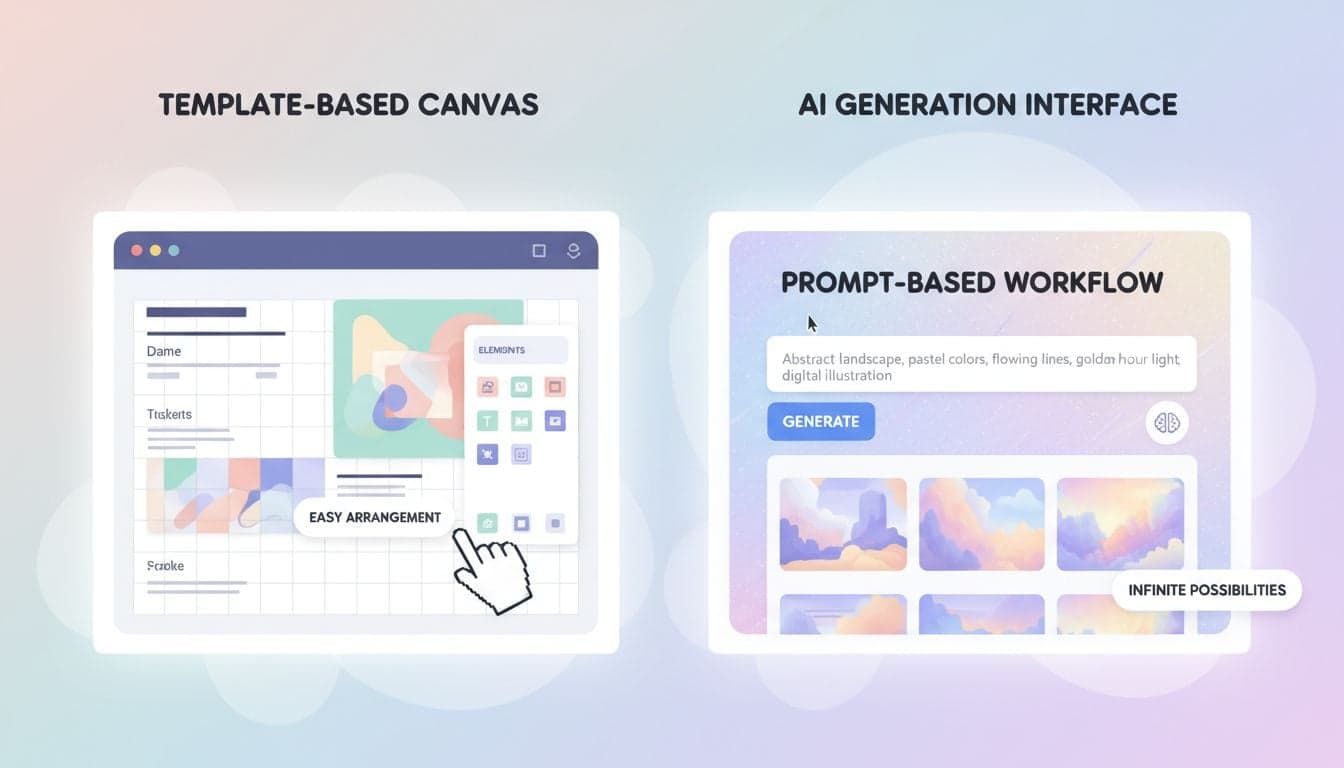
Choosing between Vexub and Canva Video depends on one critical question: Do you want to manually edit your videos or have AI generate them for you? Both platforms create short-form content, but they operate on fundamentally different models.
Canva Video extends the familiar Canva design interface into video editing with drag-and-drop templates. Vexub takes a different approach entirely — you provide text or audio, and AI creates the complete video with visuals, voiceover, music, and animated subtitles in minutes.
This comparison breaks down both platforms across speed, cost, features, and ideal use cases so you can choose the right tool for your content strategy.
The Core Difference: Templates vs AI Generation
The fundamental distinction shapes everything about how these platforms work.
Canva Video operates as a template-based editor. You select a video template, swap out placeholder elements, customize text and colors, upload your own media, and arrange everything manually. The creative control is entirely yours, but so is the time investment.
Vexub functions as an AI video generator. You input text content or upload audio, select an AI voice and image style, and the platform generates a complete video automatically. The AI handles script-to-scene matching, visual selection, voiceover timing, background music, and animated subtitle placement.
Speed: How Fast Can You Create Videos?
Production speed matters significantly for content creators maintaining consistent posting schedules.
Canva Video Timeline
Template selection: 5-10 minutes browsing templates that match your niche
Customization: 15-30 minutes replacing text, swapping images, adjusting colors
Media upload: 5-15 minutes if using your own footage or stock assets
Final adjustments: 10-20 minutes perfecting transitions, timing, and effects
Total time per video: 35-75 minutes depending on complexity and experience level.
Vexub Timeline
Script input: 2-5 minutes writing or pasting your script
Style selection: 1-2 minutes choosing voice and image style
AI generation: 3-5 minutes for the platform to create the video
Minor edits: 5-10 minutes if you want to adjust specific scenes
Total time per video: 11-22 minutes with minimal hands-on editing required.
For creators producing 3-5 videos weekly, Vexub saves approximately 2-4 hours per week compared to template editing in Canva.
Features for Short-Form Content
Both platforms offer features tailored to TikTok, YouTube Shorts, and Instagram Reels, but with different implementation approaches.
Canva Video Features
Templates: Thousands of pre-designed templates for various niches and styles
Stock library: Millions of stock photos, videos, and audio tracks
Text animations: Manual text animation controls with preset effects
Transitions: Library of transitions you apply manually between clips
Collaboration: Team sharing and commenting features
Brand kit: Save brand colors, fonts, and logos for consistency
Canva requires you to manually configure subtitle timing and placement, which becomes tedious for longer scripts.
Vexub Features
AI voice synthesis: 70+ realistic voices in multiple languages and accents
Automated subtitles: AI-generated captions with multiple animated styles
Image styles: 20+ AI image styles from photorealistic to anime and horror
Scene matching: AI analyzes your script and selects matching visuals
Background music: Automatic music selection that matches video mood
Bulk generation: Create multiple video variations from one script
The AI-powered workflow eliminates the need to manually sync voiceover, visuals, and subtitles — everything aligns automatically.
Create videos like this with AI
Script, voiceover, images and subtitles — automated in minutes.
Pricing Comparison: What You Actually Pay
Cost structures differ significantly between subscription models.
Canva Video Pricing
Free tier: Limited templates, Canva watermark, restricted stock library access
Canva Pro: $120/year for one user ($10/month when billed annually)
Canva Teams: $300/year for up to 5 users ($30/month when billed annually)
Canva Pro gives you unlimited downloads and access to the full stock library, but you still invest manual time for each video.
Vexub Pricing
Free tier: 5 videos per month with watermark
Pro plan: Starting at $19/month for unlimited videos without watermark
Enterprise: Custom pricing for high-volume creators and agencies
Vexub pricing scales with usage but removes the time cost through automation. The effective cost-per-video decreases as you produce more content.
Quality and Customization Control
The tradeoff between automation and control manifests differently in each platform.
Canva Video gives you pixel-perfect control over every element. You decide exactly which clip appears, when transitions occur, how text animates, and where elements position on screen. This level of control produces highly customized results but requires design skills and time.
Vexub prioritizes consistency and speed over granular control. The AI makes visual decisions based on your script, and while you can regenerate specific scenes or swap images, you're working within the AI's interpretation framework. The output quality depends heavily on script quality and style selection.
For faceless YouTube channels and TikTok accounts, Vexub's automated approach often produces more consistent results because the AI maintains visual cohesion across scenes.
When Canva Wins on Quality
You have specific brand guidelines requiring exact color codes and fonts
Your content strategy depends on unique visual storytelling
You're creating promotional content that needs polished, professional editing
You already have filmed footage that needs editing and enhancement
When Vexub Wins on Quality
You need consistent visual style across hundreds of videos
Your content is script-driven (storytelling, educational, commentary)
You're building a faceless content brand with AI-generated visuals
Speed and volume matter more than custom design elements
Learning Curve and Ease of Use
Your familiarity with video editing tools affects which platform feels more intuitive.
Canva Video benefits users who already know Canva's design interface. The drag-and-drop functionality translates naturally to video editing. However, understanding video-specific concepts like keyframes, transitions, and audio syncing requires learning even for experienced Canva users.
Vexub requires minimal learning curve for basic video creation — write a script, pick a voice, choose a style, generate. The complexity appears when optimizing scripts for better AI interpretation or using advanced features like custom image styles and bulk generation.
Most users create their first Vexub video in under 15 minutes. Canva Video typically requires 1-2 hours of exploration before producing satisfactory results.
Best Use Cases for Each Platform
Neither platform universally beats the other — the right choice depends on your specific content creation goals.
Choose Canva Video When You Need To:
Create highly branded content with specific design requirements
Edit existing video footage with custom effects and transitions
Collaborate with a design team on video projects
Produce promotional content, ads, or client work requiring approval stages
Integrate video creation with broader design workflow in Canva
Choose Vexub When You Need To:
Generate multiple videos weekly from text scripts
Build a faceless YouTube or TikTok channel at scale
Convert audio content or podcasts into video format
Create educational content with voiceover and animated subtitles
Test multiple content ideas quickly without time-intensive editing
The Verdict: Which Platform Should You Choose?
Vexub and Canva Video serve different creator needs with minimal overlap.
Pick Canva Video if you value design control, already use Canva for other content, and create fewer than 5 videos monthly where each video needs custom visual treatment.
Pick Vexub if you prioritize production speed, need to create 10+ videos monthly, focus on script-driven content, or want to build a faceless content brand without learning video editing.
Many creators use both: Vexub for regular content production and volume, Canva for special projects requiring custom design work. This hybrid approach combines automation efficiency with creative flexibility when needed.
The best choice isn't about which platform has more features — it's about which workflow matches your content strategy, available time, and monetization goals. For most short-form content creators prioritizing consistency and scale, AI video generation tools like Vexub deliver better results per hour invested than template-based editors.







